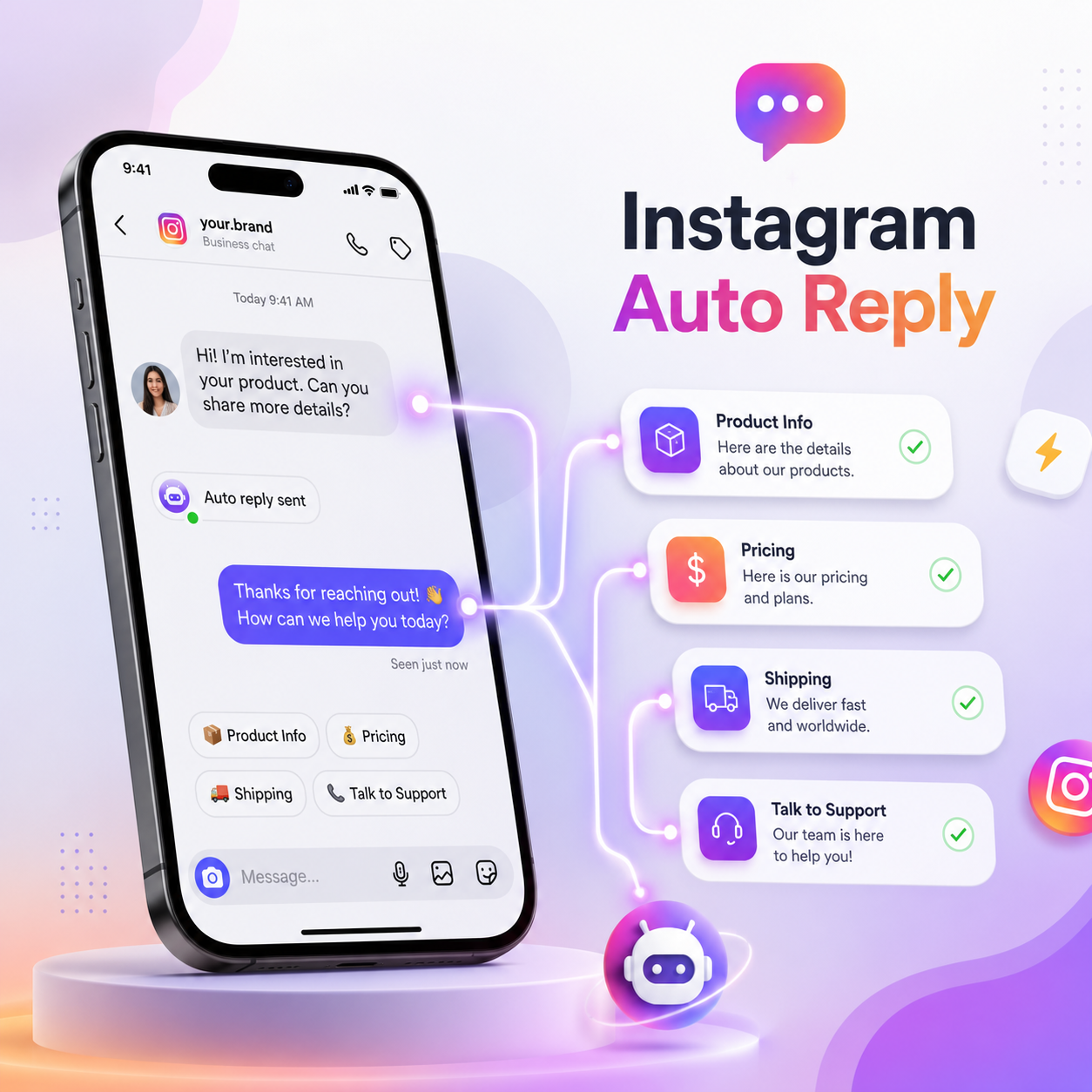
Quick answer: Instagram auto reply in 2026 relies on either Meta's native Business Suite tools for basic FAQs and away messages, or third-party Graph API tools for comment-to-DM funnels, story-reply automation, and keyword flows. Native features are free but limited. Third-party tools like QuickDM add unlimited free automations and safe, Meta-compliant comment-to-DM without the steep monthly costs charged by most competitors.
Key Takeaways
- Meta's native tools cover basic FAQs and away messages only — they cannot do comment-to-DM automation.
- Third-party tools using Meta's official Graph API are required for growth funnels, keyword flows, and story-reply automation.
- Compliant tools deliberately cap comment-triggered DM sends well below Meta's platform limits to avoid disruptions.
- QuickDM offers a genuinely free-forever plan with unlimited automations at 20 DMs/hour and no credit card required.
- QuickDM Pro is priced at $10/month globally and ₹399/month in India — the only INR-native pricing in this category.
1. Introduction: The Truth About Instagram Auto Reply in 2026
Why Instagram Auto Reply is Essential for 2026
Instagram has become a full storefront and customer-service channel for millions of creators and small businesses, and the DM inbox is where most of that traffic actually converts. A creator running a giveaway, a D2C brand fielding "where is my order" questions, or a coach qualifying leads for a cohort launch all hit the same wall: manually replying to every comment and DM doesn't scale past a few dozen messages a day. Auto reply — in its broadest sense, from a simple away message to a full comment-to-DM funnel — exists to close that gap without hiring a full-time community manager. In 2026, with organic reach increasingly funneled through Reels and comment engagement, an automated reply system isn't a convenience anymore; it's closer to table stakes for anyone monetizing an Instagram audience.
The Core Tension: Free Native Tools vs. Paid Growth Engines
Most guides gloss over an important distinction: Instagram's own free tools and third-party growth tools solve different problems. Meta's native automations (instant replies, away messages, FAQ automations in Business Suite) handle static, one-directional messaging — useful for setting expectations, useless for running a campaign. Third-party tools built on Meta's Graph API unlock comment-to-DM, branching keyword flows, and story-reply sequences — the mechanics that actually turn a viral Reel into an email list or a sales conversation. The tension is that most of the tools capable of that second category charge steadily rising monthly fees, often tied to contact volume rather than usage, which is where a lot of the frustration in this space comes from.
What Top Competitors Are Missing in Their Guides
Most existing write-ups on this topic either stop at Meta's native settings — which is only half the picture — or turn into a thinly disguised sales pitch for a single tool without transparent pricing comparisons. Few actually walk through Meta's current compliance and rate-limit rules, which matter enormously if you're choosing between a compliant Graph API tool and a cheaper but riskier browser-based bot. This guide tries to cover both halves properly: what's free and native, what requires a third-party tool, what the compliance reality actually looks like, and how the main tools in the category compare on real, current pricing.
Our Methodology for This 2026 Guide
Every pricing figure and plan limit referenced here was checked against the tool's own pricing page or recent, dated third-party reporting rather than pulled from memory or older 2025 figures, since several of these tools — ManyChat in particular — restructured pricing earlier in 2026. Where sources disagreed slightly on a current number, that's flagged rather than smoothed over. Meta's own rate-limiting behavior is referenced from its Graph API documentation rather than assumed.
Who This Guide is For (Creators, SMBs, D2C Brands)

This guide is written for three overlapping groups: individual creators and influencers trying to turn story views and comments into an audience they actually own (email, WhatsApp, a course waitlist); small and local businesses that get most of their bookings and questions through DMs; and D2C e-commerce brands, especially in India, that need to handle high comment volume during launches and sales without a support team burning out. If you fall into any of these, the free-vs-paid breakdown further down is built with your decision in mind. [IMAGE: A split scene showing a creator, a small business owner, and a D2C brand founder all checking Instagram on their phones]
2. What You Get for Free with Meta Native Tools

[IMAGE: Screenshot of Instagram's native Instant Reply and Away Message settings screen]
Level 1 Automation: Saved and Quick Replies in the IG App
The most basic layer of automation in Instagram isn't automation at all in the traditional sense — it's saved replies, short pre-written snippets you can insert into a DM with one tap instead of retyping the same answer to "do you ship internationally?" for the fortieth time. These live under Instagram's own settings and sync across the mobile app. They save typing time but require you to be present and manually select the reply; nothing sends on its own. For solo creators handling low DM volume, this alone can meaningfully cut down response time without touching a third-party tool.
Level 2 Automation: Instant Replies and Away Messages
One level up, Instagram lets professional accounts set an instant reply that fires automatically the moment someone opens a DM thread with you, along with a separate away message for messages received outside business hours. These are genuinely automated — no manual tap required — but they're static: one message, no branching, no keyword detection, no way to route someone based on what they actually asked. They're best used to set expectations ("Thanks for reaching out — we reply within 24 hours") rather than to actually resolve a query.
Level 3 Automation: Frequently Asked Questions in Meta Business Suite
Meta Business Suite adds a genuinely useful third layer: FAQ automation, where you define a handful of common questions and canned answers that display as tappable buttons when someone opens your inbox thread. This is closer to a real automated flow than the previous two levels, since it lets the sender self-select what they need. It's still limited to what you manually configure inside Business Suite's inbox settings, and it can't be triggered from a comment — only from someone already inside your DM inbox.
Setting Up Basic Inbox Automations
To turn on any of this, you'll need a professional (business or creator) Instagram account linked to a Facebook Page, since native automations run through Meta Business Suite rather than the consumer Instagram app alone. From there, the automation settings sit under the Suite's Inbox tab, where instant replies, away messages, and FAQs are each configured separately. None of it requires code or API access — that's the appeal, and also the ceiling: everything is manually built button-by-button inside Meta's own interface.
Native Features vs. Marketing Use-Cases They Actually Cover
[IMAGE: Table comparing native Instagram features against marketing use cases they can and cannot handle]
Lining native features up against real marketing use cases exposes the gap clearly. Setting expectations after hours: covered. Answering a genuinely common question with a tappable button: covered, inside Business Suite. Turning a comment on a Reel into a DM conversation: not covered. Running a multi-step qualification flow for a lead: not covered. Automating a story-reply funnel: not covered. Capturing an email address inside the DM thread itself: not covered. The native toolkit is real and free, but it's built for support-style messaging, not for the growth-funnel use cases this guide focuses on from Section 3 onward.
3. What You Don't Get Without a Third-Party Tool
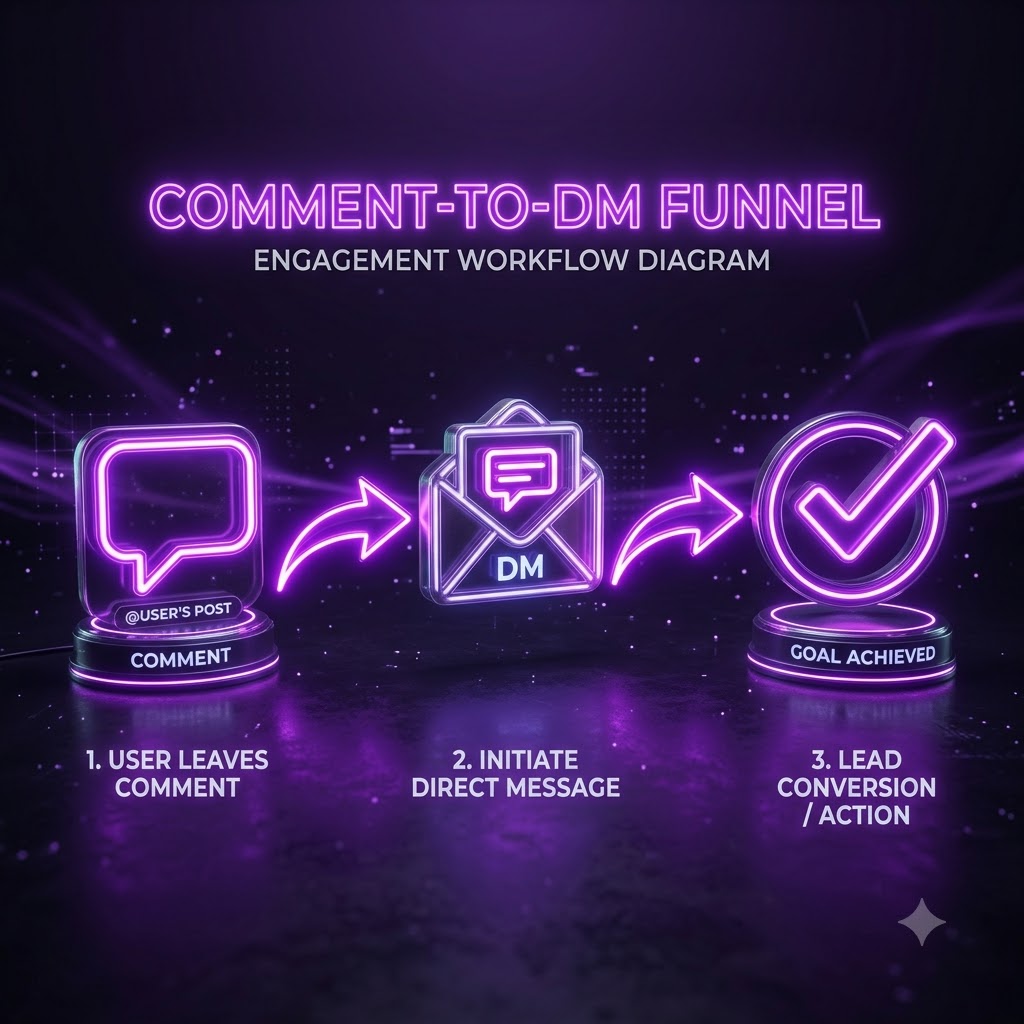
[IMAGE: Screenshot showing a comment on an Instagram post next to an automated DM reply triggered by it]
The Missing Piece: True Comment-to-DM Automation at Scale
Comment-to-DM — where someone types a keyword in your comments and instantly receives a DM with a link, code, or answer — is the single most requested automation in this category, and Instagram's native tools simply don't offer it. This is the core mechanic behind Instagram comment to DM automation, and it requires a tool connected through Meta's Graph API to listen for comment events and trigger a private reply. Done well, it turns a single viral Reel into hundreds of qualified DM conversations without you lifting a finger, which is why nearly every serious automation tool — QuickDM, ManyChat, CreatorFlow, and LinkDM included — is built around this feature first.
Story Reply to DM Funnels with Multi-Step Sequences
Beyond a single reply, growth-focused creators use story replies as entry points into multi-message sequences: someone reacts to a story, gets an automated first message, waits a set delay, then receives a follow-up nudging them toward a link or offer. None of this exists natively. It requires a tool that can hold state across a conversation and schedule delayed sends, which is functionally a small chatbot running behind your Instagram account rather than a single canned reply.
Complex Keyword DM Flows and Branching Logic
A single keyword triggering a single message is the simplest version of this category. The more valuable version branches: "PRICE" sends one flow, "SIZE" sends another, and each can ask a follow-up question that routes the conversation further based on the reply. This is where third-party platforms differentiate themselves from each other, and it's a feature area completely absent from Instagram's native toolkit, which has no concept of conditional branching in DMs at all.
Follow-Gating and Email Capture Inside DMs
Follow-gating — only releasing a lead magnet or discount code once someone follows your account — and inline email capture are both growth mechanics that require a third-party layer sitting on top of the DM thread. QuickDM's free plan, for instance, supports follow-gating up to 100 followers and email collection up to 100 addresses at no cost, which is unusual for a free tier in this category and directly addresses a use case Instagram's own tools have no mechanism for at all.
Robust Analytics and A/B Testing for DM Campaigns
Finally, understanding which comment trigger, which story hook, or which opening DM line actually converts requires analytics Instagram's native inbox doesn't surface — open rates, click-through on links inside DMs, or which of two message variants performed better. Third-party tools built for growth generally expose at least basic funnel analytics, letting you iterate on a campaign instead of guessing. [CTA: See how QuickDM handles comment-to-DM at scale, free → https://quickdm.app/signup]
4. The Compliance and Rate-Limit Reality
[IMAGE: Abstract illustration of a shield icon layered over an Instagram-style app icon, representing compliant automation]
What Meta's Graph API Actually Allows in 2026
Every legitimate automation tool in this space, including QuickDM, ManyChat, CreatorFlow, and LinkDM, operates through Meta's Graph API rather than by simulating a human tapping through the app. The Graph API defines specific, documented rate limits for messaging endpoints, and these limits are Meta's to set and change — they're detailed in Meta's Graph API rate-limiting documentation, which is worth checking directly rather than relying on any third party's restated numbers, since these figures are periodically adjusted.
The Practical Limit for Comment-to-DM at Scale
Comment-triggered private replies specifically sit under a narrower allowance than general messaging, since Meta treats unsolicited-feeling automated outreach more cautiously than a reply to someone who messaged you first. This is exactly why compliant tools build in their own conservative internal caps rather than trying to push right up to whatever Meta's current ceiling happens to be — a buffer protects your account if Meta tightens the rule without much notice.
Send API Limits: Text, Links, and Media
Different message types — plain text, messages containing links, and media attachments — can carry slightly different scrutiny from Meta's spam and abuse systems, since link-heavy automated DMs are a common vector for actual spam. Reputable tools structure their message templates to avoid patterns that look automated-and-spammy, such as identical link-heavy text sent to hundreds of people within seconds of each other.
Why "Unlimited" Hourly Rates and Browser Bots are Dangerous
Any tool advertising literally unlimited hourly sends, or one that works by controlling a headless browser instead of calling Meta's API, is operating outside Meta's terms of service. Browser-automation tools mimic clicking through the actual app, which Meta's detection systems are specifically built to catch, and getting flagged this way risks a temporary action block or a permanent restriction on your account — a cost that dwarfs whatever the tool saved you in subscription fees.
How to Avoid Instagram Bans with Compliant Automation
The practical checklist is short: use a tool that discloses it runs on Meta's official Graph API, avoid anything promising unlimited or unthrottled sending, keep your automated messages varied rather than identical copy-paste blasts, and prefer a tool whose internal rate limits sit comfortably below whatever Meta currently allows rather than right at the edge. QuickDM's 185 DMs/hour cap on Pro, for instance, is intentionally conservative relative to platform ceilings for this reason. [CTA: Automate compliantly with QuickDM's Meta-approved Graph API integration → https://quickdm.app/signup]
5. Free vs Paid: Real Tool Comparison for 2026
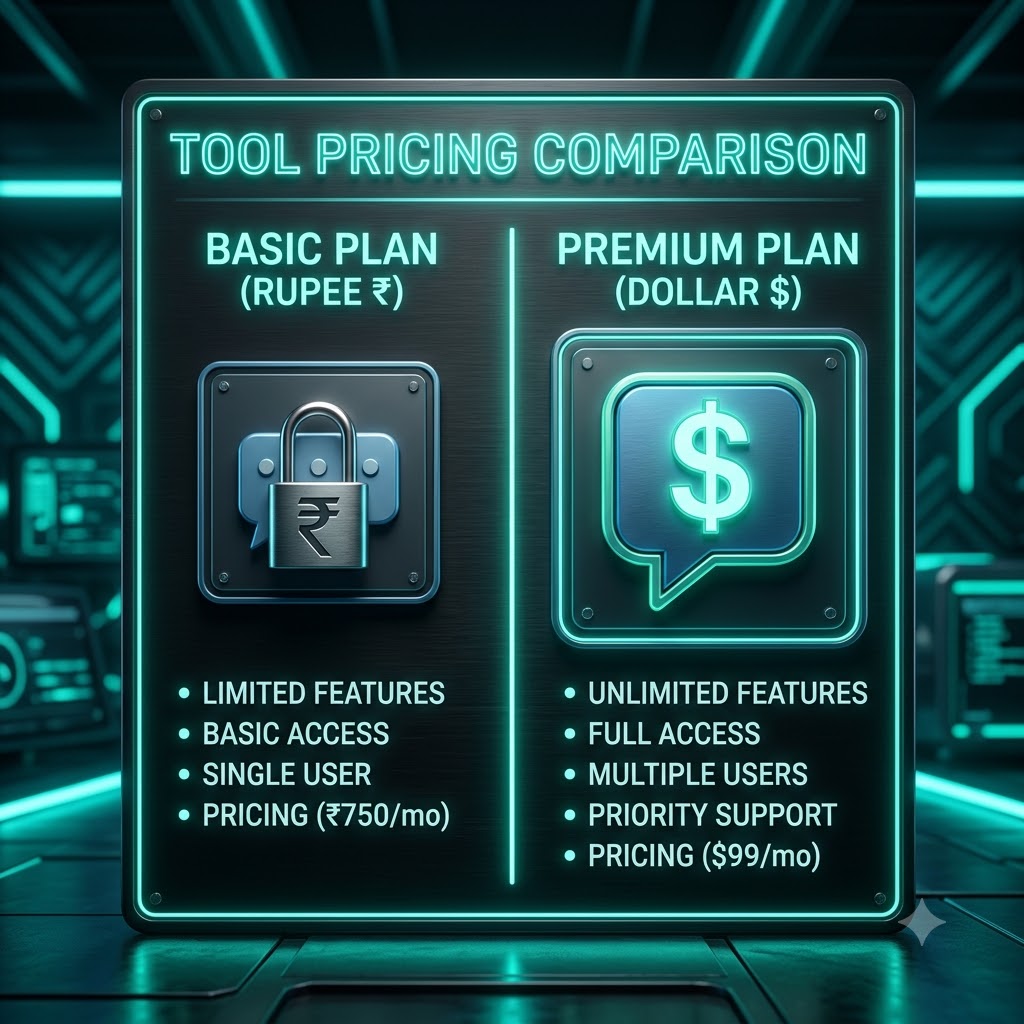
[IMAGE: Comparison table showing QuickDM, ManyChat, CreatorFlow, and LinkDM pricing and DM limits side by side]
[IMAGE: Screenshot of QuickDM's pricing page showing the free and Pro tiers]
QuickDM: Truly Free Forever and Cheapest Serious Pro Tier
QuickDM's free plan includes unlimited automations at 20 DMs/hour, comment-to-DM, follow-gating up to 100 followers, and email collection up to 100 addresses, with no credit card required and no expiry on the free tier. Its Pro plan runs $10/month globally, or ₹399/month for India, and raises the send ceiling to 185 DMs/hour — close to what compliant tools generally treat as a safe practical maximum for this kind of automation. Compared to what else is available in this category, that combination of a genuinely unlimited free tier and a low, flat-rate paid tier is currently uncommon.
ManyChat: A Contact-Based Model That Changed Significantly in 2026
ManyChat overhauled its pricing structure on March 2, 2026, replacing its older plan lineup with a new tiered model and shrinking its free tier from 1,000 contacts down to just 25 active contacts across two channels. Reported current paid tiers vary somewhat by source — figures cluster around $14–$17/month for its entry Essential plan, $29–$39/month for Pro, and $69–$99/month for Business, with a further Advanced tier reported around $139–$199/month, plus a separate AI-features add-on and per-contact overage fees once you exceed your tier's included contacts. Because ManyChat bills by "active contacts" rather than by message volume, a single viral Reel with a comment-to-DM trigger can push a creator past their free or entry-tier limit in a single day, which is a common complaint in recent reviews of the platform.
CreatorFlow: Flat-Rate DM Caps Instead of Contact Billing
CreatorFlow takes the opposite approach to ManyChat, charging a flat monthly rate tied to DM volume rather than contact count. Its free plan includes 500 DMs per month with unlimited automation rules and no credit card required; Pro runs $15/month for 5,000 DMs per month, email collection, and link tracking across two accounts; Growth runs roughly $29–30/month for 10,000 DMs per month across up to five workspaces. For creators whose audience is growing but whose actual DM volume stays moderate, this flat structure avoids the surprise-overage problem that comes with contact-based billing.
LinkDM: Free Tier Capped at 1,000 DMs a Month
According to LinkDM's own pricing page, its free plan connects one Instagram account and allows up to 1,000 DMs per month, including story automation and post/reel auto-reply but not comment auto-reply, which is reserved for paid tiers. Its Pro plan is $19/month (or $182/year with an annual discount) for up to three Instagram accounts and 25,000 DMs per month, adding comment auto-reply, universal triggers, and flow automation. A Platinum+ tier at $99/month raises this further to 300,000 DMs per month across ten accounts. Notably, LinkDM's free tier does not include comment-to-DM at all — you need to upgrade to Pro to unlock the feature most creators are actually looking for.
InstantDM and Similar High-Barrier Tools
Some tools in this space, such as InstantDM, skip a forever-free tier entirely in favor of a short trial period before requiring payment, with entry pricing reported around $8–10/month for a capped send rate. Because these tools' feature sets — particularly around story-reply automation and language support — are less consistently documented across sources than the three tools above, treat any specific claims about them with some caution and verify directly against the vendor's current pricing page before relying on them.
6. Why QuickDM is the Best Truly Free Option

Unlimited Automations vs. Competitor Caps
The clearest differentiator on QuickDM's free tier is that automations themselves are unlimited — you can build as many comment-to-DM triggers, keyword flows, and welcome sequences as you want. What's capped is send volume (20 DMs/hour), not the number of automations you're allowed to set up. That's a meaningfully different limit than ManyChat's 25-active-contact cap or CreatorFlow's 500-DMs-per-month cap, both of which constrain your total usage rather than just your build complexity.
20 DMs/Hour Free: Safe and Usable for Small Creators
For a creator or small business without viral-scale comment volume, 20 DMs/hour free is enough to run a genuine comment-to-DM funnel on a normal post without hitting a ceiling mid-campaign. It's also set conservatively enough to sit comfortably within Meta's own compliance boundaries, which matters more than the raw number itself — a tool that lets you send faster but risks your account isn't actually the better deal.
Follow-Gating (up to 100) and Email Collection (up to 100)
Both of these features — gating a lead magnet behind a follow, and capturing an email inside the DM thread — are usually reserved for paid tiers elsewhere in this category. QuickDM includes both on its free plan, capped at 100 followers gated and 100 emails collected, which is enough runway for a creator testing whether a lead-gen funnel actually converts before committing to a paid plan. [CTA: Start collecting followers and emails free with QuickDM → https://quickdm.app/signup]
No Credit Card Required, Ever
QuickDM's free tier doesn't require entering payment details to get started, and it isn't structured as a time-limited trial that quietly expires — it's a permanent free plan. This removes the common friction of a "free trial" that's really just a 14-day countdown to a forced upgrade decision.
How QuickDM Compares to Meta's Native Limits
Where Meta's own native tools stop at static instant replies and FAQ buttons, QuickDM's free tier adds the growth mechanics — comment-to-DM, follow-gating, email capture — that native tools simply don't offer at any price. The two aren't really competing directly; QuickDM's free plan is closer to a genuinely free version of what most competitors charge for.
7. India-First Angle: Pricing and Regional Language Support

[IMAGE: A warm scene of an Indian small business owner reviewing orders on a phone with a decorative festival backdrop]
The Only INR-Priced DM Automation Tool (₹399/mo)
Every major competitor in this category prices in US dollars — ManyChat, CreatorFlow, and LinkDM all quote $14 and up, which converts to a meaningfully larger and more volatile monthly cost for an Indian creator or small business paying in rupees, subject to exchange-rate swings and international card fees on top of the sticker price. QuickDM's Pro plan is priced natively at ₹399/month, avoiding both the conversion markup and the psychological friction of a dollar-denominated subscription for a business that earns in rupees.
Built-in Hindi and Regional Language Flows
Beyond pricing, QuickDM ships with DM flow templates in Hindi and other regional Indian languages, letting a creator or brand build a comment-to-DM or keyword flow that actually matches how their audience communicates, rather than translating an English-only tool's templates themselves. This is a genuine gap in the rest of the category — ManyChat, CreatorFlow, and LinkDM are all built and templated around English-first, US/global markets.
Indian D2C Brand Use Cases and Templates
For an Indian D2C brand, the most common DM automation needs skew toward order-status questions, Cash on Delivery (COD) confirmation flows, and shipping-timeline FAQs — all of which benefit from being available in the customer's preferred language rather than forced into English. QuickDM's templates are built with these specific patterns in mind, rather than being a generic global template set with India treated as an afterthought.
Mumbai HQ: Local Support vs. Global Gaps
Being headquartered in Mumbai also means support hours and context that align with Indian business hours and market conventions — festival sale cycles, COD-heavy checkout flows, and regional language nuance — rather than a support team based entirely in a different time zone answering tickets asynchronously.
Why USD Pricing Fails Indian Small Businesses
The core problem with USD-denominated pricing for Indian users isn't just the raw conversion — it's that a $14-$30/month price point, once converted and hit with international transaction fees, often lands somewhere much less predictable than a locally quoted price, and small businesses in particular have flagged this confusion in community discussions around tools like ManyChat. A flat, locally quoted ₹399/month removes that unpredictability entirely. [CTA: Get India-priced Instagram automation at ₹399/month → https://quickdm.app/signup]
8. How to Set Up Native Auto Replies in Instagram

[IMAGE: Step-by-step screenshot sequence of switching to a professional Instagram account]
Step 1: Switch to a Professional Account
Native automation features are only available on Instagram Business or Creator accounts, not personal accounts. From your profile, go to Settings, then Account type and tools, and select Switch to Professional Account, choosing either Business or Creator depending on how you use the account. This is a prerequisite for everything else in this section, and it's also required before connecting any third-party automation tool later.
Step 2: Accessing Instagram Auto Reply Settings
Once your account is professional, automation settings live primarily inside Meta Business Suite rather than the Instagram app's own settings menu, though a subset is also accessible directly in-app under Settings, then Messages and story replies. Business Suite gives you the fuller set of controls, including FAQ automation, which isn't available from the phone-only settings path.
Step 3: Creating Your Instant Reply Message
Inside the automation settings, the instant reply is a single message that fires the moment someone sends you their first DM in a new conversation thread. Keep it short and expectation-setting rather than trying to cram an FAQ into it — that's what the separate FAQ automation feature in Business Suite is for.
Step 4: Setting Up Away Hours
Away messages work similarly but trigger only outside a schedule you define, useful for businesses with defined operating hours. You can set a weekly schedule and a distinct message from your instant reply, letting people know explicitly that a human response will come later rather than leaving them guessing.
Step 5: Managing Saved Replies Shortcuts
Saved replies are managed from the same Messages settings area, letting you build a small library of canned answers to insert manually with a tap while chatting. Unlike the previous two features, these never fire automatically — they exist purely to speed up manual replies, which is worth remembering when it's time to decide whether native tools are covering enough of your workflow.
9. How to Set Up Auto Replies in Meta Business Suite
Navigating the Meta Business Suite Inbox
Meta Business Suite's Inbox tab is the control center for both Instagram and connected Facebook Page messaging, and it's where the more advanced native automation — particularly FAQ automation — actually lives. If you manage both an Instagram and Facebook presence for the same business, Business Suite lets you configure shared or platform-specific automations from one place.
Automating Frequently Asked Questions
Inside Inbox settings, the Automated Responses or FAQ section lets you define a short list of common questions and canned answers that appear as tappable options when someone opens a new conversation. This is the closest native Instagram gets to a decision-tree, though it's limited to a flat list rather than true branching logic.
Setting Up Welcome Messages
A welcome message can be configured to appear the first time a new contact messages you, distinct from an ongoing instant reply, and is a reasonable place to briefly mention your FAQ options or point someone toward your bio link if you're not running a full DM automation flow.
Configuring Away Messages for IG and FB
Away message scheduling in Business Suite can be set once and shared across both connected platforms if you run both an Instagram and Facebook presence, saving you from configuring the same away-hours schedule twice.
Limitations of Business Suite Automations

[IMAGE: Abstract 3D isometric diagram of connected inbox panels representing Business Suite limitations]
Even at its most capable, Business Suite automation can't react to a comment, can't branch based on a keyword someone types mid-conversation, can't hold a multi-step delayed sequence, and can't capture structured data like an email address into anything other than plain conversation text. It's a genuinely useful free layer for setting expectations and answering a handful of static questions, but it stops well short of anything resembling a funnel, which is the entire reason third-party Graph API tools exist in this category.
10. Advanced Auto Reply: Comment-to-DM Automation
What is Comment-to-DM Automation?
Comment-to-DM automation watches for a specific keyword (or any comment, depending on configuration) on a chosen post or Reel, then automatically sends the commenter a private DM — typically a link, discount code, or answer to whatever the post promised. It's become the default growth mechanic for Instagram creators because it converts passive comment engagement into an owned conversation, which is far more valuable than a comment sitting under a post.
Why It Outperforms Manual Link-in-Bio
A link-in-bio requires someone to leave the comment section, visit your profile, tap the link, and remember what they were even looking for — several points of drop-off. Comment-to-DM collapses that into a single automatic message delivered right where the person already is, which is why creators running comment-to-DM campaigns typically see meaningfully higher click-through than an equivalent link-in-bio call to action.
Setting Up a "Comment a Word" Campaign
The typical setup: choose a post or Reel, define the trigger keyword (or set it to fire on any comment), write the DM message the commenter receives, and publish. Most tools, including QuickDM, let you preview exactly what the automated DM will look like before going live, which matters since you generally can't edit it retroactively once people start receiving it mid-campaign.
Staying Under Meta's Comment-to-DM Rate Limits
Because comment-triggered private replies sit under Meta's stricter Graph API allowances for this endpoint, a campaign that goes unexpectedly viral can hit a rate ceiling faster than a creator expects. Compliant tools handle this by queueing sends rather than dropping them, so nobody who commented gets missed — they just receive their DM slightly later than someone who commented first.
Best Practices for Conversion
The comment-to-DM messages that convert best tend to be short, deliver on the exact promise made in the post's caption, and include a single clear next step rather than multiple competing links. Varying message wording slightly across different automations (rather than reusing identical copy everywhere) also reduces the chance of the message pattern being flagged as spam-like by Meta's systems. [CTA: Set up your first comment-to-DM campaign in minutes → https://quickdm.app/signup]
11. Advanced Auto Reply: Story Reply Funnels
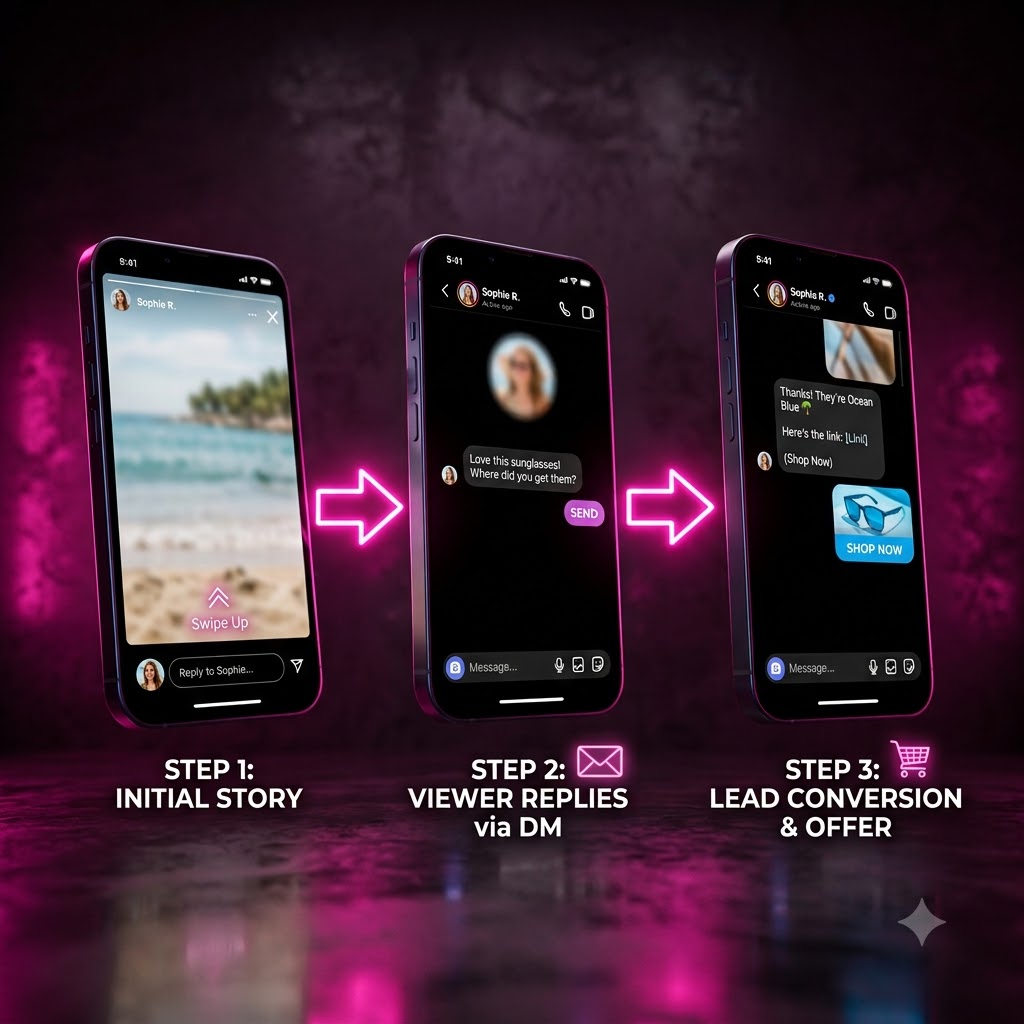
[IMAGE: Sequential 3D render of phone mockups representing a three-step story reply funnel]
Turning Story Views into DM Conversations
A story reply funnel triggers when someone reacts to or replies to your story — often with a poll response, an emoji, or a specific word — and responds with an automated DM, turning a passive story view into an active conversation. This works particularly well for time-sensitive promotions since stories already carry an urgency element that a static feed post doesn't.
Multi-Step Sequences and Delays
Beyond a single reply, a story funnel can hold a short delay before sending a follow-up message — for example, delivering a discount code immediately, then a reminder DM a day later if the link hasn't been clicked. This kind of timed, multi-message sequence is only possible through a third-party tool maintaining conversation state; Instagram's native tools have no concept of a delayed follow-up.
Using Story Replies for Paid Challenges and Launches
Creators running paid challenges or cohort-based launches often use a story-reply trigger as the entry point into a qualification sequence — someone replies with interest, gets asked a qualifying question, and is routed toward a checkout link or booking calendar only if their answer fits. This turns story engagement directly into a sales funnel rather than a one-off reply.
Setting Up Story Triggers
Configuring a story trigger generally means selecting which stories should be eligible (all stories, or a specific one you're about to post), defining the trigger condition, and building the message sequence that follows, similar in structure to setting up a comment-to-DM automation but keyed to story interactions instead of comments.
Tracking Story Funnel ROI
Since story funnels typically end in a link click or a purchase, tracking which story-reply campaign actually drove conversions requires either the tool's own analytics or a tagged link (like a UTM parameter) so you can trace the result back to the specific story that started the conversation.
12. Advanced Auto Reply: Keyword Triggered DMs
How Keyword DMs Work Inside Instagram
A keyword-triggered DM fires whenever someone comments or messages a specific word — "PRICE," "GUIDE," "LINK" — and is functionally the building block underneath most comment-to-DM and story-reply automations described in the previous two sections. The distinguishing feature of a mature keyword system is supporting multiple keywords per post, each routing to a different message or flow.
Structuring Multi-Message Sequences
More advanced keyword flows chain several messages together with brief delays, letting you deliver information progressively rather than dumping an entire pitch into one long DM, which tends to read as less spammy and holds attention better across a short back-and-forth.
Adding Forms and External Links
Keyword flows commonly end in either an external link (a checkout page, a booking calendar) or an inline form for capturing structured information like an email address or a preferred size, letting the automation do double duty as both a responder and a lightweight lead-capture mechanism.
Re-engagement Rules and Tags
Tools with more mature keyword systems let you tag contacts based on which keyword they triggered, so you can later send a targeted follow-up only to, say, everyone who asked about pricing rather than your entire DM list — a basic but effective segmentation layer.
Avoiding Spam Flags with Keyword Flows
[IMAGE: Icon grid representing common automation mistakes that trigger spam flags]
The most common way a keyword flow gets flagged isn't the automation itself but identical, unvaried messaging sent at high frequency to many people in a short window — a pattern Meta's spam systems are specifically tuned to catch. Slight message variation and staying within a tool's built-in rate limiting largely avoids this.
13. Follow-Gating and Email Capture in DMs
[IMAGE: Illustration of a lock icon opening as a follow button is tapped, representing follow-gating]
What is Follow-Gating?
Follow-gating means a lead magnet, discount code, or piece of content is only released to someone inside the DM flow after they've followed your account, turning every automation into a small growth loop rather than just a delivery mechanism.
Rewarding New Followers Automatically
The flow typically checks follow status automatically rather than asking the person to confirm manually, releasing the reward as soon as the condition is met, which keeps the experience frictionless for genuine followers while still gating the incentive behind an actual follow.
Collecting Emails Directly in Instagram DMs
Email capture inside a DM thread means asking for and validating an email address without sending someone to an external form, keeping the entire interaction inside Instagram. QuickDM supports this on both its free (up to 100 emails) and Pro (unlimited) tiers, directly inside the automated flow.
Syncing Leads to Your CRM
Once captured, emails and other lead data are only useful if they end up somewhere you can act on them — most serious tools offer either a native export or an integration to sync captured leads into an email platform or CRM rather than leaving them stranded inside the DM tool itself.
Compliance for Data Collection
Collecting personal data like email addresses inside DMs still falls under standard data-protection expectations — be transparent about why you're asking, what you'll use it for, and give people a way to unsubscribe from anything you send afterward, regardless of which tool you use to collect it.
14. Use Cases: D2C Brands and E-commerce
[IMAGE: An Indian D2C brand owner reviewing orders and packages in a small warehouse space]
Automating "Where is my order?" FAQs
Order-status questions are typically the single highest-volume DM category for any D2C brand, and a keyword-triggered flow that asks for an order number and returns a status update (or routes to a tracking link) removes a large share of manual support load without needing a full helpdesk system.
Shipping and Pricing Overload Reduction
Similarly, repetitive shipping-cost and pricing questions are well-suited to an automated FAQ-style flow, freeing a small team to spend their time on the DMs that actually need a human judgment call rather than a repeated static answer.
Launching New Products via Comment-to-DM
Product launches are a natural fit for comment-to-DM: post the launch, ask people to comment a keyword for early access or a launch discount, and let the automation deliver the code instantly rather than making people hunt for a bio link during a high-traffic moment.
Abandoned Cart Recovery via DM
Some brands extend keyword or story-reply flows into lightweight cart-recovery sequences, sending a follow-up DM to someone who engaged with a product post but hasn't completed a purchase, functioning as a DM-native version of the abandoned-cart emails common in traditional e-commerce.
Handling High-Volume Sale Days
[IMAGE: A busy Indian D2C brand's packing station during a festival sale rush]
During major sale events — festival season in India especially — comment and DM volume can spike dramatically for a short window, which is exactly the scenario a rate-limited, queue-based automation tool is built to absorb without dropping messages or triggering a compliance flag from sending too fast.
15. Use Cases: Creators and Influencers
[IMAGE: A creator recording content in a home studio with soft ring-light lighting]
Sharing Lead Magnets and Free Guides
Creators building an audience toward a course or product often use comment-to-DM to distribute a free guide or checklist, using the exchange as both a value-delivery moment and a chance to follow-gate or capture an email in the same flow.
Qualifying Brand Sponsorship Inquiries
A keyword flow can also handle inbound brand inquiries, asking a few qualifying questions (budget range, campaign type) before routing serious inquiries to a booking link or a real conversation, filtering out low-effort outreach automatically.
Driving Traffic to Patreon or YouTube
Cross-platform creators frequently use Instagram comment-to-DM as a funnel specifically toward a YouTube video or a Patreon page, since a direct DM link converts better than hoping someone finds a bio link on their own.
Managing Collaboration Requests
A dedicated keyword for collaboration inquiries lets a creator triage requests automatically, sending genuine collaborators a structured next step while reducing the manual back-and-forth of sorting through DMs for the handful that are worth a real reply.
Auto-Replying to Story Mentions
[IMAGE: A phone showing a soft-focus notification of a story mention]
When someone tags a creator in their own story, an automated thank-you or repost-request reply can be triggered, keeping engagement high without requiring the creator to manually track every mention.
16. Use Cases: Small Businesses and Local Services
[IMAGE: A local service business owner, like a salon or café operator, checking their phone at the counter]
Booking Appointments via DM
Local service businesses — salons, clinics, tutors — frequently use a keyword flow to route booking requests toward a scheduling link, cutting down the back-and-forth of manually confirming availability over DM.
Answering Hours and Location Questions
Hours and location are near-universally repetitive questions for any local business, and a simple FAQ-style automation (native or third-party) handles this category almost entirely without human involvement.
Collecting Customer Reviews
A post-purchase or post-visit automated DM asking for a review, with a direct link to leave one, is a low-effort way to systematically request feedback rather than relying on customers to volunteer it unprompted.
Promoting Daily Specials
Businesses running daily or weekly specials can use a recurring keyword flow ("TODAY") that always returns the current offer, keeping the automation useful on an ongoing basis rather than a single campaign.
Filtering Spam vs. Real Leads
[IMAGE: A small business owner reviewing a filtered list of genuine customer inquiries on a phone]
A short qualifying question inside a keyword flow — asking for a location, a preferred date, or a specific need — helps separate genuine local inquiries from generic spam comments, saving time before a human ever needs to step in.
17. Common Mistakes That Lead to Instagram Bans
[IMAGE: An illustration of a broken robot icon next to a warning symbol, representing risky automation practices]
Using Non-API Browser Extensions
Tools that operate by controlling a browser session rather than calling Meta's Graph API directly are the single riskiest category here, since they mimic human app usage in a way Meta's detection systems actively look for, and they fall outside Meta's terms of service entirely.
Sending Instant Welcome DMs to Every Follower
Automatically DMing every new follower the moment they follow, especially with identical templated text, is a pattern that reads as spammy both to recipients and to Meta's automated systems, and is a common cause of accounts getting rate-limited or flagged even when using a compliant API-based tool.
Ignoring Meta's Hard Rate Limits
Pushing volume right up against — or past — whatever ceiling Meta's Graph API currently allows for your account type is a reliable way to trigger a temporary block, which is why the more conservative internal caps used by compliant tools (QuickDM's 185/hour Pro cap, for example) exist as a buffer rather than an artificial limitation.
Copy-Pasting Identical Messages Too Fast
Beyond outright volume, sending the exact same message text to many people within a short window is itself a spam signal independent of total volume, since it's a pattern real human typing rarely produces.
How to Recover from Temporary Action Blocks
[IMAGE: A calm scene representing recovery, such as a phone resting screen-down on a desk]
If an account does get temporarily action-blocked, the general recommendation is to stop all automated sending immediately, wait out the block period rather than attempting workarounds, and review whatever pattern likely triggered it before resuming — pushing through a block with more automated activity typically escalates the restriction rather than resolving it.
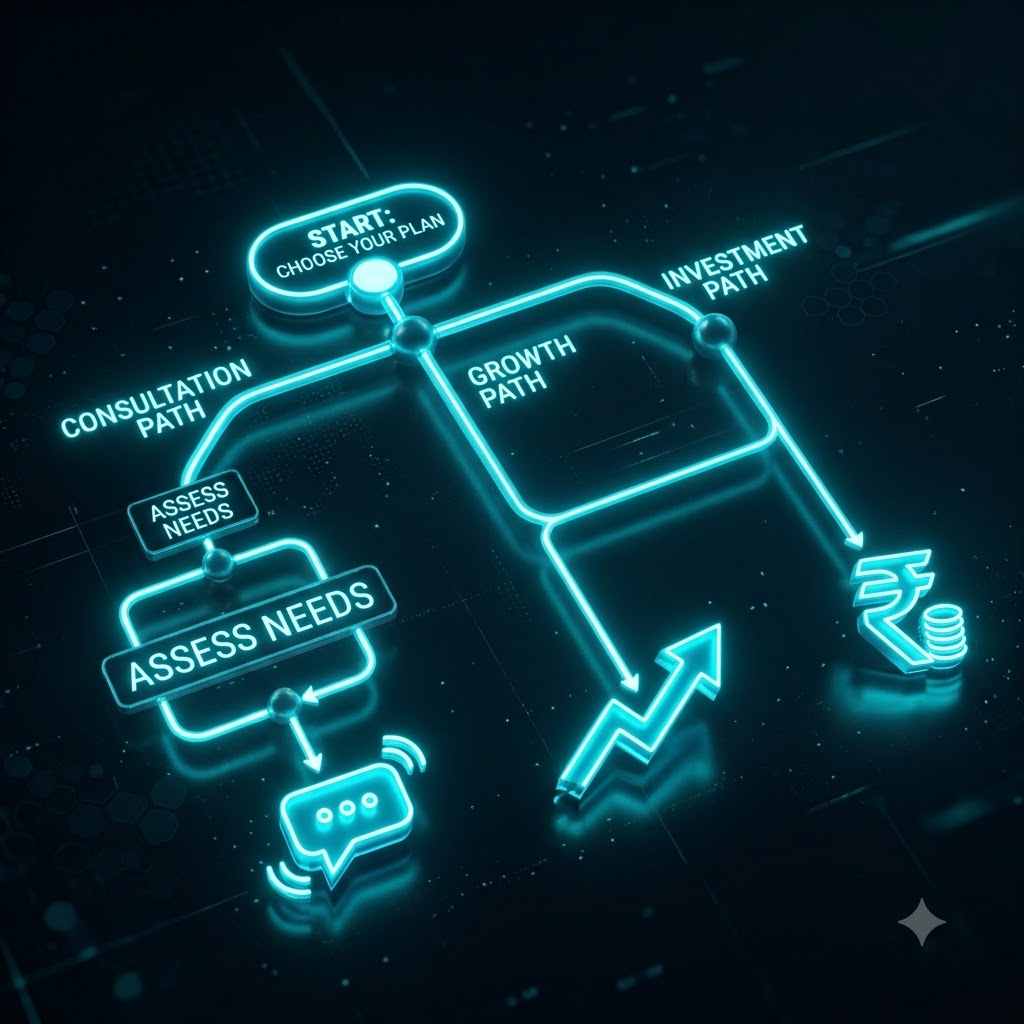
18. Should I Pay or Stick With Free? Decision Flow
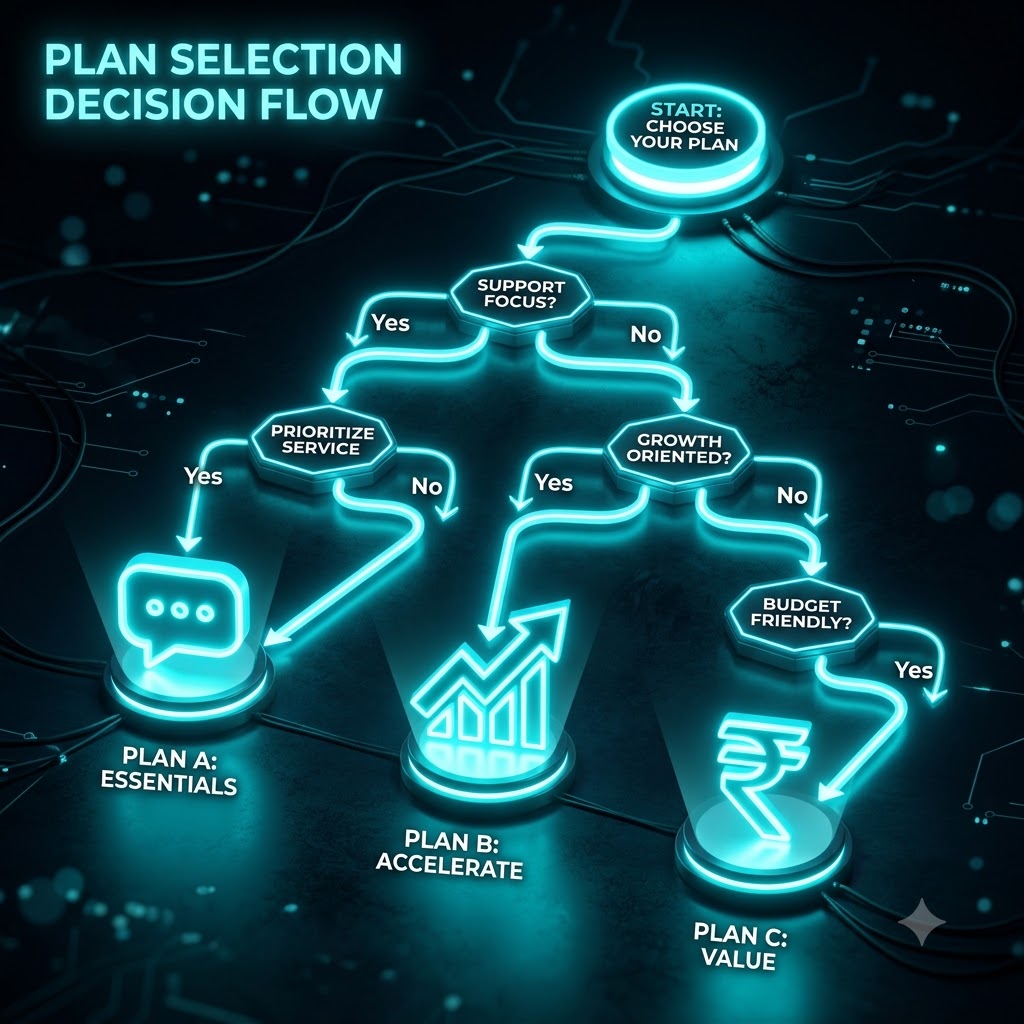
[IMAGE: A decision-tree style diagram helping readers choose between free and paid automation tiers]
Scenario 1: Low Volume, Basic FAQs Only
If your DM volume is genuinely low and mostly repetitive questions, Instagram's native instant replies and Business Suite FAQ automation may cover your needs entirely without needing a third-party tool at all — there's no reason to pay for growth-funnel features you won't use.
Scenario 2: High Volume Campaigns and Launches
If you're running regular comment-to-DM campaigns, product launches, or story funnels with meaningful volume, a paid tier from whichever tool fits your workflow becomes worthwhile once you're consistently bumping against a free tier's send or contact limits.
Scenario 3: Indian SMBs and Cost-Sensitive Creators
For Indian creators and small businesses specifically weighing cost, QuickDM's ₹399/month Pro plan and generous free tier remove much of the calculation entirely, since the free plan alone often covers a small business's actual volume without hitting a wall.
The QuickDM Free vs. Pro Checklist
A simple way to decide: if you're consistently sending more than roughly 20 DMs an hour during active campaigns, need more than 100 gated followers or captured emails per month, or want unlimited email collection, Pro is the point where QuickDM starts paying for itself. Below that, the free tier is genuinely sufficient rather than a crippled trial.
Transitioning from Native Tools to QuickDM
Moving from native-only automation to a tool like QuickDM doesn't require abandoning what you've already set up — instant replies and away messages can stay active in Business Suite while QuickDM handles the comment-to-DM and keyword-flow layer on top, since the two operate independently. [CTA: See which plan fits your volume — start free → https://quickdm.app/signup]
19. Frequently Asked Questions (FAQ)
[IMAGE: A clean FAQ-style graphic summarizing the most common questions about Instagram auto reply]
Can I set up auto reply on Instagram for free?
Yes. Meta Business Suite and the Instagram app both offer free basic auto-replies — instant replies, away messages, and FAQ buttons. For comment-to-DM funnels or story-reply automation, you'll need a free third-party tool like QuickDM, which offers unlimited automations at no cost.
Will auto-replies get me banned on Instagram?
Not if you use a tool that operates through Meta's official Graph API and respects its rate limits. The real risk comes from browser-based bots and non-compliant tools that mimic manual app usage, which is what tends to trigger action blocks.
Is QuickDM safe and Meta-compliant?
Yes. QuickDM runs entirely on Meta's Graph API, with send limits — 20 DMs/hour free, 185 DMs/hour Pro — deliberately set below typical platform ceilings for this kind of automation.
Which is the cheapest Instagram DM automation tool?
Among tools with a real paid tier, QuickDM Pro at $10/month globally (₹399/month in India) is the cheapest, undercutting CreatorFlow ($15/mo), LinkDM ($19/mo), and ManyChat's post-2026 tiers, which start around $14/month and climb from there.
Is there a truly free Instagram DM automation tool?
QuickDM's free plan — unlimited automations at 20 DMs/hour, with follow-gating and email capture included — is among the most generous free tiers currently available in this category, with no credit card required.
Which Instagram automation tool is best for India?
QuickDM is the only tool in this comparison with native INR pricing, a Mumbai HQ, and built-in Hindi and regional-language flow templates, making it the clearest fit for Indian creators and D2C brands specifically.
What is the difference between auto-reply and a chatbot?
An auto-reply sends one fixed message on a trigger. A chatbot-style flow uses branching logic and multi-step sequences to hold something closer to an actual conversation, qualifying or routing someone based on their responses.
Does Instagram allow comment-to-DM automation?
Yes, when it's built on Meta's official Graph API rather than a browser bot. The comment-to-DM (private reply) mechanism is rate-limited by Meta, so compliant tools cap their own usage below that ceiling.
How many DMs can I send per hour on Instagram?
This depends on Meta's current API allowances, which are documented directly in Meta's Graph API rate-limiting reference and do change over time. QuickDM's own caps (20/hour free, 185/hour Pro) are set conservatively within whatever Meta currently permits.
Can I collect emails with Instagram auto reply?
Yes, with a third-party tool. QuickDM allows up to 100 captured emails on its free plan and unlimited on Pro, directly inside the DM flow.
Why is ManyChat charging me more than expected?
ManyChat bills by active contacts rather than DM volume, and its March 2026 pricing overhaul cut the free tier to just 25 active contacts. A single high-engagement post can push a creator past their tier's contact limit and into overage fees or a forced upgrade.
Can I automate story replies natively?
No — Instagram's native tools don't support automated story-reply funnels. That requires a third-party Graph API tool with story-trigger capability.
Does QuickDM support Hindi and regional languages?
Yes, QuickDM includes DM flow templates in Hindi and other regional Indian languages, a feature not currently offered by ManyChat, CreatorFlow, or LinkDM.
What happens if I hit Meta's API rate limit?
Automated sends get throttled or paused until the limit window resets, which can disrupt a live campaign. Tools with conservative internal caps, like QuickDM, are designed to avoid this under normal usage patterns.
Can I use QuickDM for my D2C brand?
Yes. QuickDM is used by D2C brands to automate order-status FAQs, run comment-to-DM product launches, and capture leads, with regional-language support built for Indian audiences specifically.