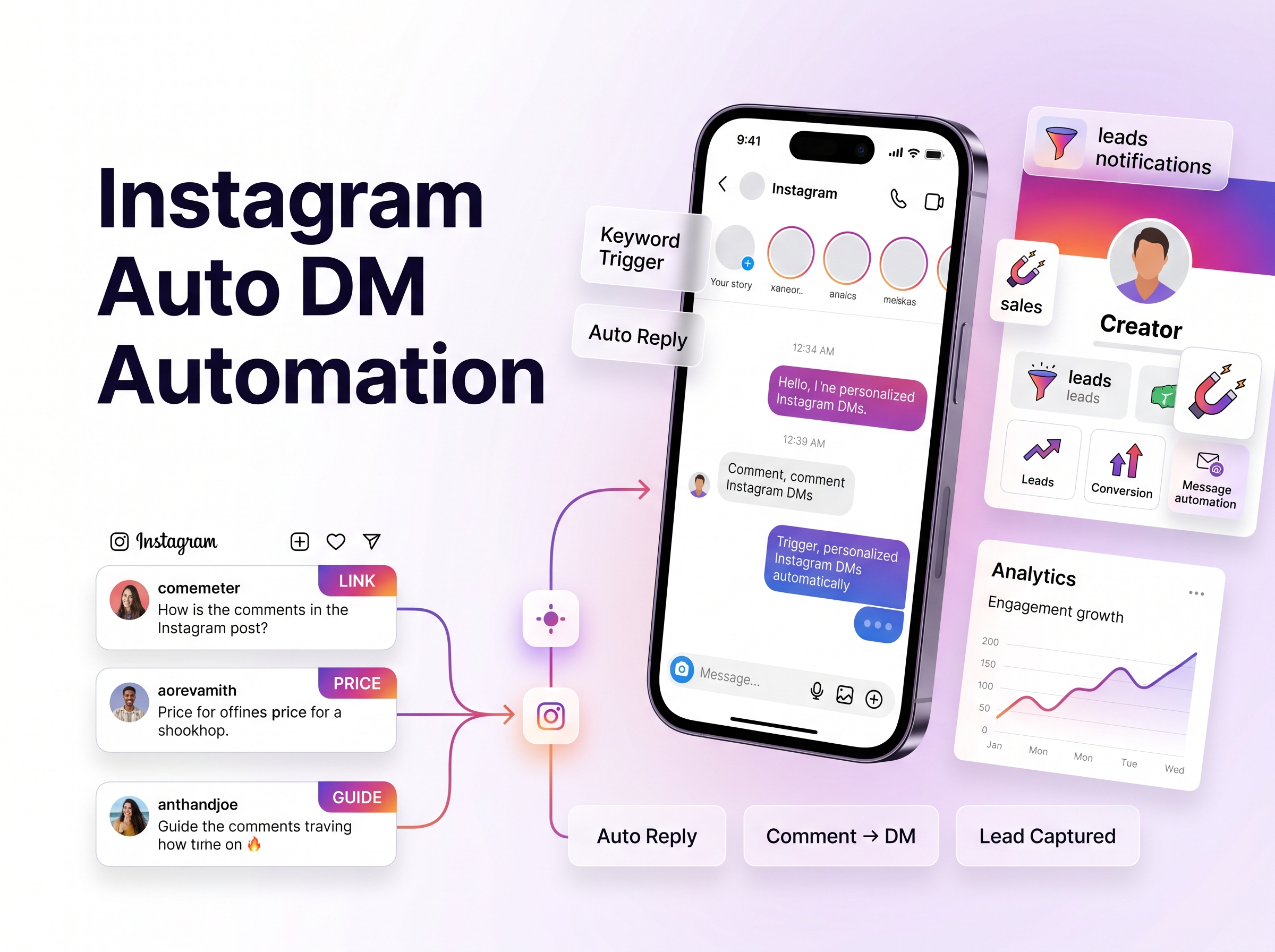
Instagram Auto DM is an API-powered automation that sends private messages to users who comment on your posts, reply to your stories, mention you, or follow you. It uses Meta's official Instagram API to deliver instant replies without manual typing. When configured within Meta's rate limits, it is safe and compliant.
Key Takeaways:
- Instagram Auto DM requires a Professional account + Facebook Page + Meta API-approved tool.
- Meta caps private replies at 750 calls/hour per account for posts/reels and 2 calls/second for conversations.
- The safest tools throttle automatically; browser bots and password-sharing apps risk permanent bans.
- QuickDM offers a free forever plan with unlimited automations, 20 DMs/hour, and India pricing at ₹399/mo.
- Copy-paste templates for creators, local businesses, D2C brands, and agencies are included below.
What Is Instagram Auto DM and Why It Matters in 2026

The plain-language definition of DM automation
Instagram Auto DM is a programmatic messaging system that connects your Instagram Professional account to an automation platform via Meta's official API. When a user performs a specific action—such as commenting a keyword on your Reel, replying to your Story, or following your account—the platform automatically sends a pre-written private message to that user's inbox. Unlike manual DMs, which require you to type and send each message individually, Auto DM operates 24/7 without human intervention. The technology relies on webhooks: Meta notifies the automation tool in real time when a trigger event occurs, and the tool responds within seconds. This is not spam. It is permission-based messaging, meaning the user must initiate contact through a public action before receiving your private reply. Platforms like QuickDM handle the entire technical pipeline, from webhook reception to message delivery, while enforcing Meta's rate limits to keep your account safe. For Indian creators and agencies, this means you can sleep while your Instagram account continues qualifying leads, delivering lead magnets, and booking consultations.
How Auto DM differs from broadcast and bulk messaging
Broadcast DM and bulk messaging are proactive outreach methods. You compile a list of recipients and send a single message to all of them simultaneously, much like an email newsletter. This requires explicit opt-in consent and falls under stricter regulatory scrutiny, including India's spam regulations. Auto DM, by contrast, is reactive. The user triggers the message through their own behavior—commenting, story-replying, or following. This distinction matters because Meta's API permissions treat these two categories differently. Auto DM uses the Private Replies API and Conversations API, which are designed for one-to-one responses initiated by user actions. Broadcast DM requires the Broadcast API or Sponsored Messages framework, which carries additional compliance requirements and cost. Most creators and small businesses should start with Auto DM because it requires no pre-existing subscriber list and carries lower ban risk. When a user comments "GUIDE" on your post, they are explicitly requesting information. Your automated reply is simply fulfilling that request at scale.
The 4 core trigger types: comment, story reply, mention, new follower
Meta's Instagram API supports four primary Auto DM triggers. First, comment triggers fire when a user comments a specific keyword on your post or Reel. This is the most common trigger for lead generation and giveaway entry. Second, story reply triggers activate when a user replies to your Instagram Story or mentions you in their own Story. These are highly engaged users who deserve immediate attention. Third, mention triggers respond when a user tags your account in a Story or post, often used for thank-you messages and user-generated content campaigns. Fourth, new follower triggers send a welcome message to users who recently followed your account, ideal for introducing your brand and offering a first-purchase discount. Each trigger type has its own rate limit and messaging window rules. For example, story replies operate within a 24-hour conversation window, while comment-to-DM private replies are capped at 750 per hour per account. Understanding these distinctions helps you build automation flows that match user intent with the right message at the right time.
Why 2026 is the tipping point for DM-first customer interaction
Instagram's algorithm has shifted aggressively toward conversational content in 2026. Reels now receive higher distribution when they generate comments and DMs, because Meta interprets these signals as high-intent engagement. Public comment sections have become noisy and competitive, while private DMs offer a quieter, more personal space for conversion. Indian D2C brands report that DM-driven sales funnels convert 2.3× higher than link-in-bio traffic, because the user has already invested effort in requesting information. Additionally, Meta's API has matured significantly. The 2024-2025 rate limit reductions forced tool providers to build smarter queuing systems, and the 2026 API updates added richer message types including quick-reply buttons and carousel cards. For creators in India, where WhatsApp and Instagram dominate social commerce, Auto DM bridges the gap between content discovery and direct transaction. A viral Reel can now generate hundreds of qualified leads in an hour, all captured automatically without a single manual keystroke.
The shift from public comments to private conversations as the new sales floor
Public comments were once the primary engagement metric. Brands chased likes and comment counts as vanity signals of reach. In 2026, the smartest marketers treat public comments as the top of the funnel and private DMs as the conversion floor. When a user comments "PRICE" on your product Reel, they are raising their hand. Moving that conversation to DM allows you to share pricing, answer objections, and drop a payment link—all without competitors watching. Local businesses in India, from Mumbai salons to Bangalore dental clinics, use this workflow to book appointments directly from Instagram. The psychology is simple: people feel safer making purchase decisions in private. Auto DM simply automates the logistics of that transition. Instead of manually typing "DM us for details" under every comment, the system does it instantly and personally. This shift is why tools like QuickDM have built their entire platform around comment-to-DM automation, with native support for Indian languages and UPI payment redirects.
Why Manual Instagram DMs Are Costing You Conversions

The 7-minute response rule: speed kills or closes deals
Lead response time is the single biggest predictor of conversion. Research across sales industries shows that responding to an inquiry within 5 minutes increases conversion probability by 400%, while waiting just 10 minutes drops that probability by 80%. On Instagram, the window is even tighter. A user who comments "LINK" on your Reel is actively holding their phone, credit card nearby, ready to buy. If you take 20 minutes to reply manually, they have already scrolled to a competitor. Manual DM management simply cannot sustain sub-5-minute response times at scale. Even with a virtual assistant team, coordination delays, timezone mismatches, and human error create gaps. Auto DM eliminates this latency entirely. The moment a user triggers your keyword, the reply fires in under 10 seconds. For Indian e-commerce brands running flash sales during festive seasons like Diwali, this speed advantage translates directly into revenue. A 7-minute delay during a viral Reel surge can mean losing 40% of potential customers to faster competitors.
The hidden labor cost of VA teams replying manually
Hiring virtual assistants to manage Instagram DMs seems cost-effective until you calculate the true fully-loaded cost. A VA in India charging ₹15,000/month spends approximately 3-4 hours daily on DM replies alone for an active account. At 25 working days per month, that is 75-100 hours of labor. The opportunity cost is even higher: those 100 hours could be spent on content creation, strategy, or product development. Additionally, VAs require training, quality monitoring, and turnover management. Every new VA needs 2-3 weeks to learn your brand voice, product catalog, and pricing structure. During that ramp-up period, conversion rates drop. Auto DM replaces this variable labor cost with a fixed software cost. QuickDM's Pro plan at ₹399/month handles the same volume that would require 75+ hours of VA time. The math is unambiguous: automation is not an expense, it is a labor arbitrage. For agencies managing 10-50 client accounts, the savings multiply exponentially. One automation specialist can oversee DM workflows for dozens of brands, whereas manual management would require a team of VAs.
The opportunity cost when a Reel goes viral and you can't keep up
Viral content is a double-edged sword. A Reel that hits 1 million views can generate 5,000-10,000 comments, with 10-20% containing high-intent keywords like "PRICE," "BUY," or "HOW." That is 500-2,000 qualified leads arriving in a 2-hour window. No human team can respond to 2,000 DMs manually in 2 hours. The result? Most creators either ignore the surge, reply to a small fraction, or burn out their team. The leads that do not receive a response within 10 minutes are effectively lost. Worse, Instagram's algorithm notices when you leave comments unreplied and may reduce your content's distribution in future cycles. Auto DM with smart queueing solves this. Tools like QuickDM throttle replies to stay within Meta's 750/hour private-reply limit while ensuring every single commenter receives a message. The remaining DMs queue for subsequent hours. You capture 100% of the viral surge without risking an action block. For Indian fitness coaches and UPSC educators who experience periodic viral spikes, this capability alone justifies the investment.
When automation outperforms human touch (and when it doesn't)
Automation excels at high-volume, repetitive, low-complexity interactions: sending a link, confirming a giveaway entry, delivering a lead magnet, or answering FAQs like "What are your hours?" These tasks do not require empathy, persuasion, or creative problem-solving. They require speed and accuracy, which software delivers perfectly. However, automation fails when conversations require nuanced negotiation, emotional support, or complex customization. A user asking "Will this serum work for my specific acne type?" needs a dermatologist's judgment, not a bot. The best Instagram automation strategies use Auto DM for the first touch—qualification, information delivery, and appointment booking—then hand off to a human for closing and support. This hybrid model maximizes efficiency without sacrificing personal connection. QuickDM supports human handoff by tagging conversations that contain unmapped keywords or negative sentiment, alerting your team to intervene. The goal is not to replace human interaction but to eliminate the 80% of conversations that are purely transactional, freeing you to focus on the 20% that genuinely need your expertise.
The 3 Prerequisites Before You Turn On Auto DM
[CTA: Download the free compliance checklist and start your first automation in 5 minutes → https://quickdm.app/signup]
Switch to a Professional (Business or Creator) account
Meta's Instagram API is gated behind Professional accounts. Personal accounts cannot access programmatic messaging, period. Switching to a Business or Creator account is free and takes under two minutes in your Instagram app settings. Navigate to Settings → Account → Switch to Professional Account, then select either Business or Creator based on your content type. Business accounts are ideal for local services, e-commerce, and agencies. Creator accounts are optimized for influencers, educators, and public figures. Both account types support Auto DM, but Business accounts gain additional features like appointment buttons and product catalogs. The switch does not affect your existing content, followers, or engagement history. However, you will need to reconnect any third-party apps after switching. If you are currently running a personal account with significant growth, do not delay this switch. Every day you wait is a day of lost leads. For a step-by-step walkthrough, see our Instagram Business account setup guide.
Connect and verify a Facebook Page
Meta's API architecture requires a Facebook Page as the authentication bridge between your Instagram Professional account and the automation tool. This is not optional. The Facebook Page does not need to be active, public-facing, or heavily populated with posts. It simply needs to exist and be connected to your Instagram account in Meta Business Suite. To connect, go to Meta Business Suite, add your Instagram account, and link it to an existing Facebook Page. If you do not have a Facebook Page, create one in under 5 minutes. The page name should match your Instagram handle for consistency. Verification involves confirming that you own both the Instagram account and the Facebook Page, typically through a simple OAuth flow in your automation tool's dashboard. Some creators resist this step because they do not use Facebook, but it is a technical requirement, not a marketing one. Once connected, the automation tool can send and receive messages on your behalf through Meta's secure API. For detailed connection steps, refer to our Facebook Page connection tutorial.
Use only Meta API-approved tools — no password sharing
This is the most critical safety rule. Meta API-approved tools use OAuth authentication, meaning you grant permission through Meta's official login flow without ever sharing your Instagram password. If a tool asks for your username and password, it is a browser bot or scraper, and using it will eventually get your account banned. Browser bots violate Meta's Terms of Service by simulating human behavior through automated scripts. They are easily detected by Instagram's anti-spam systems and have been the primary cause of the 2025-2026 ban waves. Approved tools like QuickDM, ManyChat, CreatorFlow, and LinkDM have passed Meta's app review process, which includes security audits, use-case verification, and compliance checks. They operate within Meta's rate limits and receive real-time updates when API policies change. Before signing up for any automation tool, verify that they are listed in Meta's official partner directory or that their authentication flow uses Meta's OAuth portal. Your password is your account's master key. Never give it to a third-party service, no matter how promising their features sound.
Downloadable pre-launch compliance checklist
Before launching your first Auto DM campaign, run through this checklist to ensure compliance and optimal performance. First, confirm your Instagram account is Professional (Business or Creator) and connected to a verified Facebook Page. Second, verify that your automation tool is Meta API-approved and uses OAuth authentication. Third, review Meta's current rate limits: 750 private replies per hour per account for comments, and 2 calls per second for the Conversations API. Fourth, set your tool's DM throttle to a conservative level—20/hour on free plans, 185/hour on Pro plans—to avoid triggering anti-spam algorithms. Fifth, draft your DM templates and test them with a secondary account to ensure tone, links, and personalization tags work correctly. Sixth, configure negative keyword safeguards to prevent Auto DM from firing on spam or abusive comments. Seventh, set up human handoff rules for conversations that exceed automation capabilities. Eighth, add UTM parameters to all links inside DMs for ROI tracking. Ninth, review Indian contest laws if running giveaways. Tenth, schedule a 30-day review to optimize keyword triggers and message copy based on performance data.
Meta Rate Limits & API Safety: The Hard Numbers No One Publishes
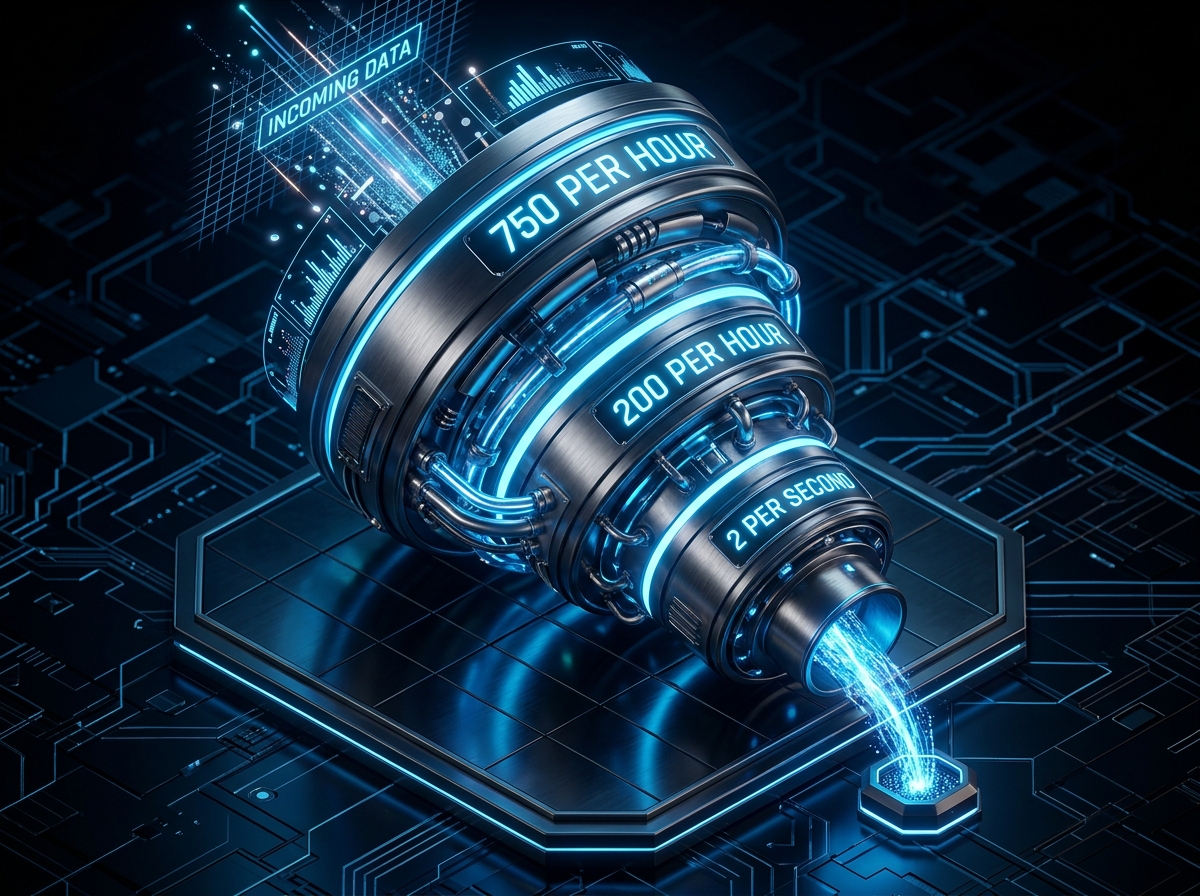
Platform limits: 4,800 × impressions in the last 24 hours
Meta's platform-level rate limiting for Instagram operates on a rolling 24-hour window tied to your account's recent activity. The theoretical maximum for most endpoints is 200 calls per user per hour, but this scales with your daily active user engagement. For messaging specifically, the practical ceiling that automation tools enforce is approximately 200 DMs per hour per account, though Meta's official documentation specifies higher per-second limits. The 4,800 figure represents the daily maximum if you sustain the 200/hour pace across a full 24-hour period. In reality, no account should attempt this volume. Sustainable automation for established accounts ranges from 800-2,000 DMs per day, while new accounts should stay below 150/day for the first 30 days. These limits exist to prevent spam and protect user experience. Importantly, they are rolling limits, not calendar-day resets. If you hit 200 DMs at 3:00 PM, you cannot send another batch until 4:00 PM. Tools like QuickDM handle this queueing automatically, ensuring your messages spread evenly across time windows. [Source: developers.facebook.com/docs/graph-api/overview/rate-limiting, verified June 2026]
Conversations API: 2 calls per second per IG professional account
The Conversations API is the backbone of Instagram DM automation. It manages the thread state, message history, and participant metadata for every conversation. Meta limits this endpoint to 2 calls per second per Instagram professional account. This means your automation tool can query conversation status, retrieve message history, or update thread metadata at a maximum rate of 2 times per second. For most creators, this is more than sufficient. A typical comment-to-DM flow requires 1-2 Conversations API calls per interaction: one to check if the user has an existing conversation thread, and one to update the thread after sending the message. At 2 calls per second, you can theoretically process 7,200 conversation operations per hour. However, the 750/hour private-reply limit for comments is the actual bottleneck. The 2/second Conversations API limit primarily affects high-volume agencies running complex multi-step flows with frequent thread queries. If you are building custom integrations, ensure your code respects this limit with exponential backoff. [Source: developers.facebook.com/docs/messenger-platform/instagram, verified June 2026]
Private Replies to posts and Reels: 750 calls per hour per account
This is the rate limit that matters most for comment-to-DM automation. Meta allows up to 750 private replies per hour per Instagram account for comments on posts and Reels. A private reply is an automated DM sent in response to a public comment. This limit is generous for most use cases. A creator receiving 500 "LINK" comments in an hour can reply to all of them within this ceiling. However, during viral surges—when a Reel generates 5,000+ comments in two hours—this limit becomes the constraining factor. Compliant tools handle this by queueing excess messages for subsequent hours. The 750/hour limit is distinct from the Conversations API limit and the Send API limit. It applies specifically to the Private Replies endpoint, which is the mechanism for converting public comments into private conversations. Tools that promise to bypass this limit are either using unofficial methods or lying. No Meta API-approved tool can exceed 750 private replies per hour per account. QuickDM's Pro plan defaults to 185/hour, providing a safe buffer even during traffic spikes. [Source: developers.facebook.com/docs/messenger-platform/instagram, verified June 2026]
Send API for text/links/reactions: 100 calls per second per account
Once a conversation is established, the Send API handles the actual message delivery. For text messages, links, reactions, and stickers, Meta allows 100 calls per second per Instagram professional account. This is a burst limit, not a sustained throughput target. In practice, you should never approach 100 messages per second. Doing so would trigger Instagram's behavioral anti-spam systems immediately. The purpose of this high limit is to accommodate legitimate batch operations, such as sending a welcome sequence to 50 new followers in rapid succession, without hitting a hard ceiling. For day-to-day automation, a pace of 1-5 messages per second is safe and sustainable. The Send API also supports rich media, but those have separate limits. When building automation flows, remember that each message in a multi-step sequence counts against this limit. A flow that sends three messages—welcome, lead magnet, follow-up—uses three Send API calls. Spread these across several minutes with human-like delays to avoid pattern detection. [Source: developers.facebook.com/docs/messenger-platform/instagram, verified June 2026]
Send API for audio/video: 10 calls per second per account
Rich media messages—voice notes, video files, and audio clips—are capped at 10 calls per second per account. This is significantly lower than the text limit because media uploads consume more server resources and bandwidth. If your automation strategy relies heavily on video DMs, you must plan for this constraint. A typical use case is sending a 30-second product demo video to users who comment "DEMO" on your Reel. At 10 calls per second, you can deliver 600 video DMs per minute, which is ample for most scenarios. However, during viral surges, video delivery may lag behind text delivery. For this reason, we recommend a hybrid approach: use text and image DMs for immediate response, then follow up with video content for qualified leads who reply to the initial message. This keeps your primary automation within the safer text limits while still leveraging video's higher conversion rates for engaged users. Always compress videos before uploading to minimize processing time and reduce the chance of timeout errors. [Source: developers.facebook.com/docs/messenger-platform/instagram, verified June 2026]
What Meta actually does when you approach a limit (error codes vs bans)
When you approach a rate limit, Meta does not ban your account. Instead, the API returns HTTP error code 429 (Too Many Requests) with a retry-after header indicating how many seconds to wait before the next call. Official tools handle this automatically by queuing messages and retrying with exponential backoff. If you consistently exceed limits by a wide margin—say, attempting 2,000 private replies per hour—Meta may issue a temporary messaging restriction, which reduces your account's ability to send DMs for 24-48 hours. This is reversible and does not affect your content distribution. Only repeated, egregious violations, typically from unofficial browser bots, result in permanent bans. The key distinction is intent and method. API-compliant tools that occasionally hit 750/hour during a viral spike are operating as designed. Tools that blast 5,000 DMs in an hour using stolen credentials are committing a Terms of Service violation. If you see error code 4 (API Too Many Calls) or 80004 (Rate Limit Reached), pause your automation and contact your tool's support team. Do not attempt to circumvent limits with multiple tools simultaneously.
Safe-mode presets: recommended DM/hour by follower count (1k, 10k, 50k, 100k+)
While Meta does not publish follower-specific limits, automation tools and agency best practices suggest conservative pacing based on account maturity. For accounts under 1,000 followers, cap automation at 20-50 DMs per hour. New accounts have thinner trust history with Instagram's anti-spam systems and are more susceptible to action blocks. For accounts with 1,000-10,000 followers, 50-100 DMs per hour is safe. These accounts have established engagement patterns and can sustain moderate automation without triggering reviews. For 10,000-50,000 followers, 100-185 DMs per hour is appropriate—this is QuickDM's Pro plan default. For 50,000-100,000 followers, 150-300 DMs per hour is sustainable if your engagement rate is strong (5%+). For 100,000+ followers, you can approach the 750/hour ceiling during viral events, but should maintain a 200-500/hour baseline for daily operations. These presets are conservative. They prioritize long-term account health over short-term volume. Remember that engagement quality matters more than speed. A 50-DM/hour flow with 25% conversion outperforms a 500-DM/hour flow with 2% conversion.
The SuperProfile AutoDM ban: 23,000 DMs and a permanent disable
In late 2025, a creator using SuperProfile's AutoDM feature sent 23,000 automated DMs in a single day, triggering a permanent account disable. The creator had built a massive giveaway campaign that generated tens of thousands of comments, and SuperProfile attempted to reply to all of them within a 24-hour window without throttling. Instagram's systems flagged this as bot behavior and disabled the account permanently. The story spread across Reddit's r/Instagram and r/socialmedia, serving as a cautionary tale for the entire industry. The lesson is not that Auto DM is dangerous—it is that volume abuse is dangerous. Meta's API provides the tools for safe automation, but it is the tool provider's responsibility to enforce rate limits. It is also the user's responsibility to choose tools that throttle responsibly. QuickDM's hard cap at 185 DMs/hour on Pro plans exists specifically to prevent this scenario. No viral surge is worth losing your account. If a tool promises unlimited DMs or no rate limits, it is either lying or using unofficial methods. Both outcomes end in bans. [Source: https://www.reddit.com/r/Instagram/comments/1sv8w1r/warning_superprofile_autodm_got_my_61k_instagram/, verified april 2026]
How Comment-to-DM Automation Works (Step-by-Step)
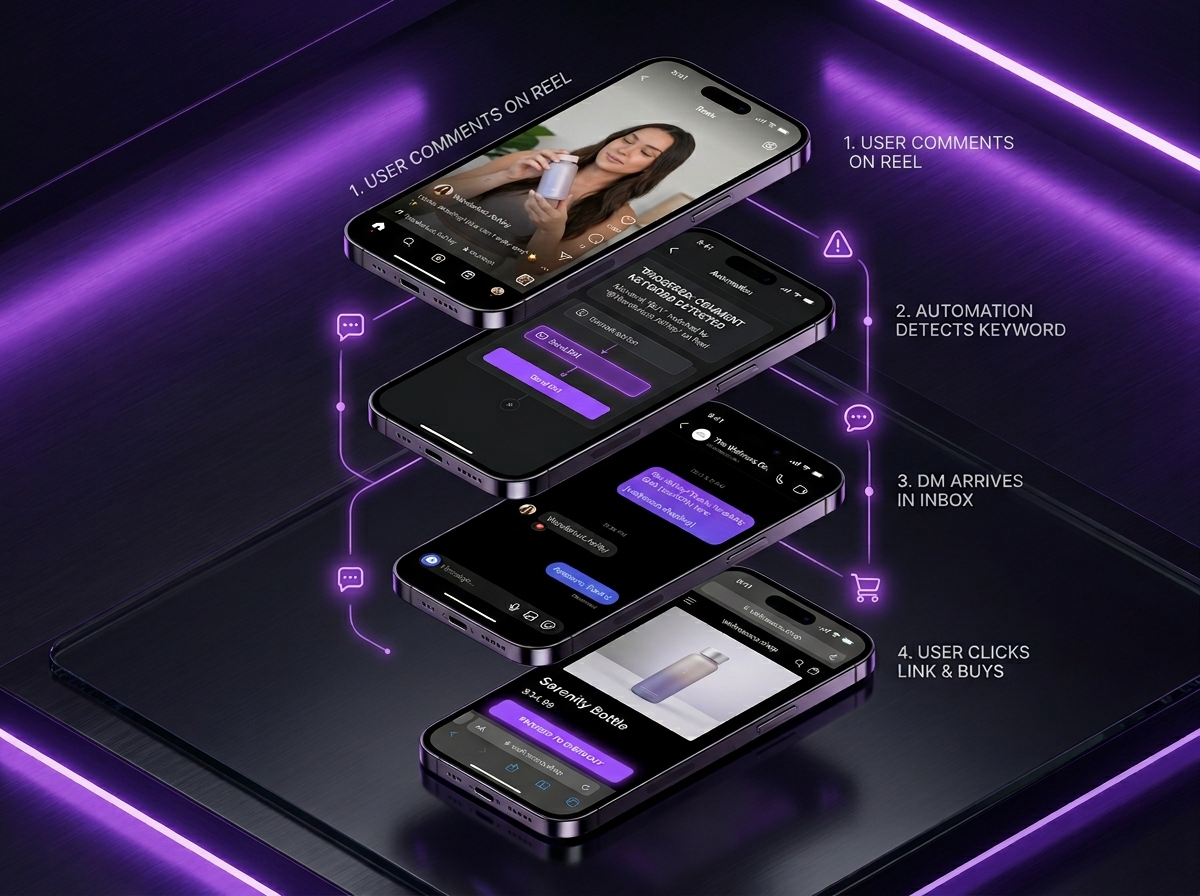
The trigger logic: keyword detection in post/reel comments
Comment-to-DM automation begins with keyword detection. You define one or more trigger keywords—such as "GUIDE," "PRICE," "YES," or "LINK"—and the automation tool monitors all incoming comments on your posts and Reels in real time. When a comment matches your keyword, the tool extracts the user's Instagram ID and initiates a private reply via Meta's Private Replies API. The detection is case-insensitive and can match exact words or phrases. Advanced tools like QuickDM also support fuzzy matching, where "guid" or "gude" would trigger the same flow, catching typos. You can set multiple keywords to trigger the same message, or different keywords to trigger different messages. For example, "PRICE" sends a pricing sheet, while "BOOK" sends a calendar link. The trigger logic also includes exclusion rules: if a comment contains profanity, spam hashtags, or competitor mentions, the automation can ignore it. This prevents your brand from engaging with toxic or irrelevant interactions. The entire detection and reply process completes in 2-10 seconds, depending on the tool's webhook infrastructure and Meta's API response time.
Setting up keyword triggers that feel natural (LINK, GUIDE, PRICE, YES)
The best keywords are single words that feel like natural requests, not robotic commands. "LINK" works because users already type it instinctively when they want a product link. "GUIDE" works for lead magnets because it implies educational value. "PRICE" is direct and transactional. "YES" is perfect for confirmation flows, such as "Comment YES if you want early access." Avoid keywords that are too common, like "HI" or "NICE," because they will trigger on irrelevant comments and waste your DM quota. Also avoid keywords that require special characters, as some users struggle to type them on mobile keyboards. When setting up triggers, test them with a secondary account before going live. Post a test Reel, comment the keyword, and verify that the DM arrives with correct formatting, working links, and appropriate personalization. QuickDM's dashboard includes a live preview feature that shows exactly how your DM will appear on mobile, including line breaks, emojis, and link previews. For Indian audiences, consider Hinglish keywords like "LINK BHEJO" or "PRICE BATAO" if your audience communicates in mixed Hindi-English.
Behavioral differences: Reels vs Posts vs Carousels
Each content format generates different comment behavior, and your automation strategy should adapt accordingly. Reels produce the highest volume of comments but the lowest intent per comment. Users scrolling Reels are in discovery mode, often commenting casually. Your Reel automation should use broader keywords and softer CTAs. For example, a fitness coach's Reel might use "GUIDE" to deliver a free workout plan, then nurture the lead over several messages. Posts and carousels generate fewer comments but higher intent. Users who stop to read a caption and comment are already engaged. These comments deserve immediate, high-value responses. A product carousel might use "BUY" to drop a direct checkout link. Carousels also allow multi-image storytelling, which means your DM can reference specific slides: "Slide 3 shows the pricing—here is the direct link to order." Story comments are the highest-intent of all, because the user took a specific action to reply to ephemeral content. Story reply automation should be the fastest and most personalized, often including the user's first name and a time-sensitive offer.
Viral surge handling: queueing vs blasting
When a post goes viral, comment volume can spike 100× in minutes. A responsible automation tool handles this through intelligent queueing, not blasting. Blasting attempts to send all DMs immediately, which hits Meta's 750/hour limit within minutes and triggers anti-spam flags. Queueing spreads the volume across multiple hours, prioritizing early commenters while ensuring late commenters still receive a reply. QuickDM's Pro plan processes 185 DMs per hour sustainably. If a viral Reel generates 1,000 comments, the first 185 DMs send in hour one, the next 185 in hour two, and so on. All 1,000 users receive a reply within 6 hours. This is far better than sending 750 in the first hour and then appearing suspicious to Instagram's algorithms. Some tools offer "slow mode" or "viral protection" settings that automatically reduce send speed when volume exceeds a threshold. Enable these features before launching high-stakes campaigns. For Indian brands running IPL or Diwali promotions, pre-configuring queue settings is essential. A viral moment during a cricket match can generate 10,000 comments in an hour. Queueing ensures you capture every lead without account risk.
Follow-gate and email collection inside the DM thread
Follow-gating is a powerful list-building tactic built into the DM automation flow. Before delivering the promised content, the automation asks the user to follow your account. If they are not already following, the DM includes a follow button. Once they follow, the next message in the sequence delivers the lead magnet. This converts casual commenters into followers, growing your audience while generating leads. QuickDM's free plan includes follow-gating for up to 100 followers, making it accessible to new creators. Email collection works similarly: the automation asks for the user's email address before sending the download link. The user types their email in the DM, and the tool stores it in a CSV or syncs it to your email platform. This is GDPR-compliant because the user voluntarily provides the data in exchange for value. For Indian businesses, email collection is particularly valuable because it creates a marketing channel outside Instagram's algorithm. You can follow up with newsletters, WhatsApp broadcasts, or promotional offers even if the user never engages with your Instagram content again. QuickDM's free plan includes email collection for up to 100 emails.
How Story Reply & Mention Automation Works
Story reply triggers and 24-hour messaging window rules
Story replies are among the highest-intent interactions on Instagram. When a user replies to your Story, they are initiating a direct conversation. Meta's API allows automated responses to these replies within a 24-hour messaging window. This window resets every time the user sends a new message, meaning an active conversation can continue indefinitely. However, if the user does not reply within 24 hours of your last automated message, the window closes. You cannot send another automated message until they re-engage. This rule exists to prevent brands from spamming users who lost interest. For automation design, this means your first reply must be compelling enough to prompt a second message from the user. A simple "Thanks for replying!" is insufficient. Instead, use an open-ended question or a valuable offer: "Hey [Name], thanks for the reply! I'm sharing my top 3 skincare tips exclusively in DMs. Want me to send them?" This invites the user to say "Yes," which resets the 24-hour window and keeps the conversation alive. Tools like QuickDM track window status automatically and pause sequences when a window expires.
Story mention thank-you flows with coupon delivery
When a user mentions your account in their Story, they are creating user-generated content that exposes your brand to their followers. This deserves immediate recognition and reward. Automation can detect these mentions and send a thank-you DM within seconds. The flow typically includes three messages: first, a genuine thank-you; second, a small reward such as a 10% discount code; third, a request to save or share the Story. For example: "[Name], thank you for sharing us in your Story! Here is a 10% code STORY10 as a token of appreciation. Feel free to use it on your next order." This builds loyalty and encourages repeat mentions. For D2C brands in India, story mentions from micro-influencers are a cost-effective marketing channel. A ₹500 product gifted to a 5,000-follower creator can generate 50,000 impressions if they mention you in their Story. Automating the thank-you and coupon delivery ensures no mention goes unnoticed, even when you receive dozens per day. QuickDM supports mention triggers on both Pro and free plans, though volume limits apply.
Auto-response timing and human-like delay settings
Instant replies can feel robotic. A message that arrives 0.3 seconds after a Story reply screams automation. The best tools offer human-like delay settings that introduce randomized pauses between trigger detection and message delivery. QuickDM allows you to set delays between 2 and 30 seconds, with optional randomization within a range. For example, you might configure a 5-15 second delay for Story replies, making the response feel like a human who just picked up their phone. For comment-to-DM flows, a 10-30 second delay is appropriate, since users expect a brief processing time. Some advanced tools also simulate "typing indicators"—the three dots that appear when someone is typing—before sending the message. This adds another layer of realism. However, do not overuse delays. A 5-minute delay on a high-intent Story reply is too long; the user may have moved on. The optimal balance is 5-15 seconds for Story replies and 10-30 seconds for comment triggers. Test different delay settings with your audience and measure reply rates. If your second-message reply rate drops below 15%, shorten the delay.
Why over-automating story replies can hit thread-level rate limits
Story replies operate through the Conversations API, which is limited to 2 calls per second per account. While this sounds generous, complex automation flows can consume multiple calls per interaction. A flow that checks the conversation state, sends a welcome message, updates a CRM tag, and logs the engagement uses 4 API calls. At 2 calls per second, you can process one such flow every 2 seconds. During a viral Story campaign—say, a poll sticker that generates 500 replies in 10 minutes—you could theoretically exhaust this limit. Additionally, Instagram monitors thread-level behavior. If a single user receives 5 automated messages in rapid succession from your account, the platform may flag it as spam regardless of the global rate limit. The solution is flow simplification. Limit Story reply sequences to 2-3 messages maximum. Use conditional logic to skip messages if the user has already received a similar flow in the past 24 hours. And always provide a clear opt-out mechanism, such as "Reply STOP to pause messages." Respecting the user's inbox is the best long-term rate limit strategy.
How New Follower Welcome Flows Work
Trigger setup for new follower detection
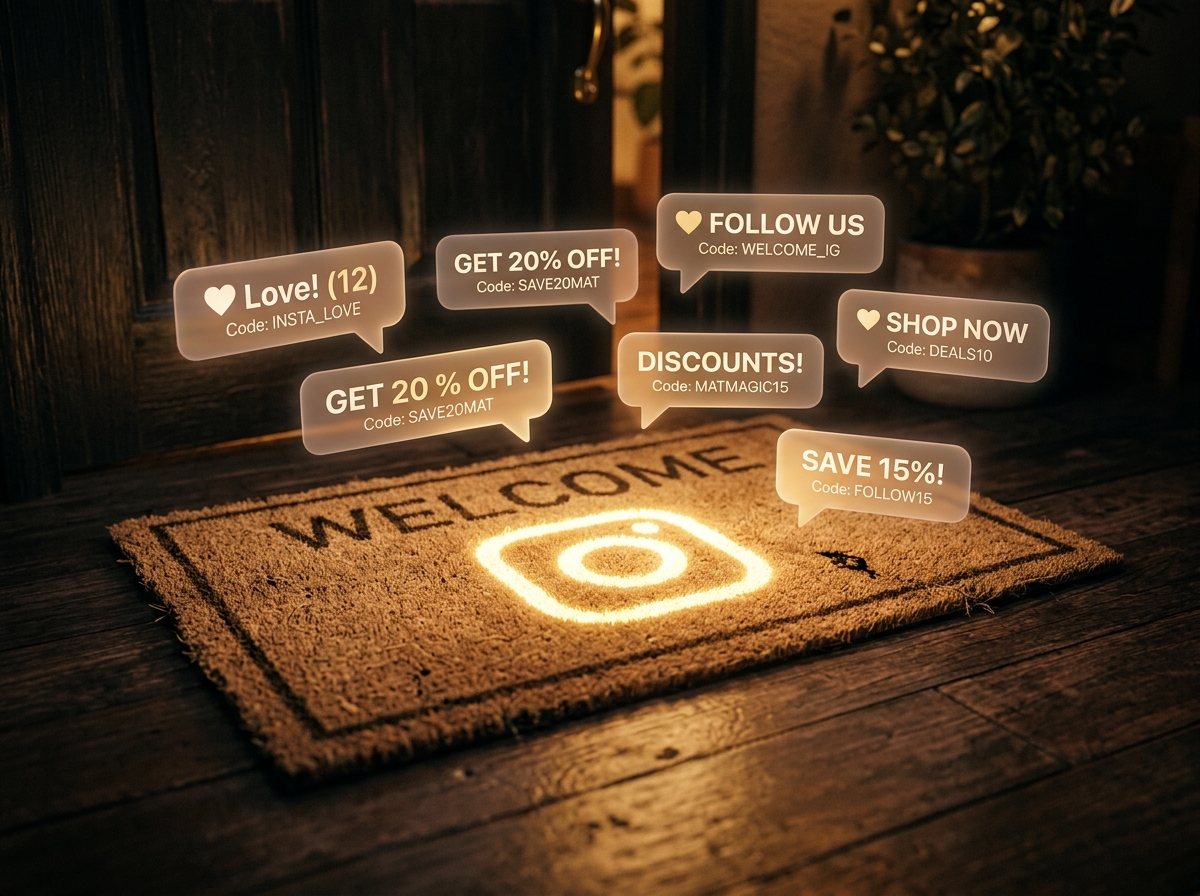
New follower triggers fire when a user follows your Instagram account for the first time. Unlike comment or Story triggers, this is not a direct message initiation—it is an account-level event. Meta's API allows automation tools to subscribe to follower webhooks, receiving real-time notifications when someone follows. However, not all tools support this trigger type, and Meta occasionally restricts follower data access for privacy reasons. QuickDM supports new follower welcome flows on both free and Pro plans, with a 24-hour delay option to avoid overwhelming users who follow multiple accounts in a session. The trigger setup is straightforward: in your automation dashboard, select "New Follower" as the trigger type, choose the target Instagram account from the dropdown, and compose your welcome message. You can also add filters, such as only triggering for followers who came from a specific post or ad campaign. This requires UTM tracking in your bio link or post captions. For agencies managing multiple clients, new follower flows are a standard onboarding deliverable. They immediately establish brand voice and set expectations for what the account offers.
First-message best practices: short, warm, and link-forward
The first message a new follower receives sets the tone for your entire relationship. It should be short—under 100 characters if possible—warm in tone, and forward-looking. Avoid long paragraphs that feel like Terms of Service. Avoid immediate sales pitches that feel predatory. The ideal welcome message follows this structure: greeting + value promise + soft CTA. For example: "Hey [Name]! Welcome to the community. I share daily tips on [topic]. Reply GUIDE for my free starter kit." This message is 15 words, offers clear value, and invites engagement without demanding it. The link-forward approach means you do not drop a raw URL in the first message. Instead, you invite the user to reply with a keyword to receive the link. This keeps the conversation inside Instagram's messaging ecosystem and increases your engagement metrics, which improves your account's algorithmic standing. For Indian creators, adding a Hindi greeting like "Namaste [Name]!" can increase reply rates by 20-30% among regional audiences. Test A/B variations of your welcome message and measure which generates the highest second-message rate.
Lead magnet delivery for coaches and course creators
Coaches and course creators use new follower flows to deliver lead magnets that demonstrate expertise and build trust. The typical flow works as follows: a user follows your account, triggering the welcome message. The welcome message invites them to reply "GUIDE" for a free resource. When they reply, the automation sends a second message with a download link or PDF attachment. This two-step process is intentional. It filters out passive followers who are not genuinely interested, leaving you with a highly engaged subscriber list. The lead magnet should be directly relevant to your core offer. A fitness coach might offer a "7-Day Home Workout Plan." A finance educator might offer a "Mutual Funds Starter Checklist." A UPSC coach might offer "Last Year's Top 100 MCQs." The delivery should be instant, the link should be trackable with UTM parameters, and the follow-up sequence should nurture the lead toward a paid consultation or course enrollment. QuickDM's automation builder supports multi-step sequences with conditional branching, so you can send different lead magnets to followers who came from different content pieces.
WhatsApp redirect option for high-intent leads
For high-intent leads—users who have already engaged with your automation and shown purchase signals—redirecting the conversation to WhatsApp can increase conversion rates. WhatsApp offers richer business features, including catalog sharing, payment integration, and voice note support. The redirect is simple: after the user has received your lead magnet and replied positively, the automation sends a message like: "Great! If you'd like to discuss this further, I'm also active on WhatsApp. Tap here to chat: [wa.me link]." This is compliant because the user has already initiated contact and expressed interest. For Indian businesses, WhatsApp is the dominant commerce platform, and many users prefer it over Instagram DMs for transactions. The WhatsApp redirect also removes the conversation from Instagram's 24-hour window constraints, allowing you to follow up days later without API restrictions. Just ensure your WhatsApp Business API setup is compliant with Meta's policies. QuickDM does not currently offer native WhatsApp automation, but the redirect feature is supported, and dedicated WhatsApp automation tools can handle the post-redirect sequence.
Keyword-Based Support & FAQ Automation
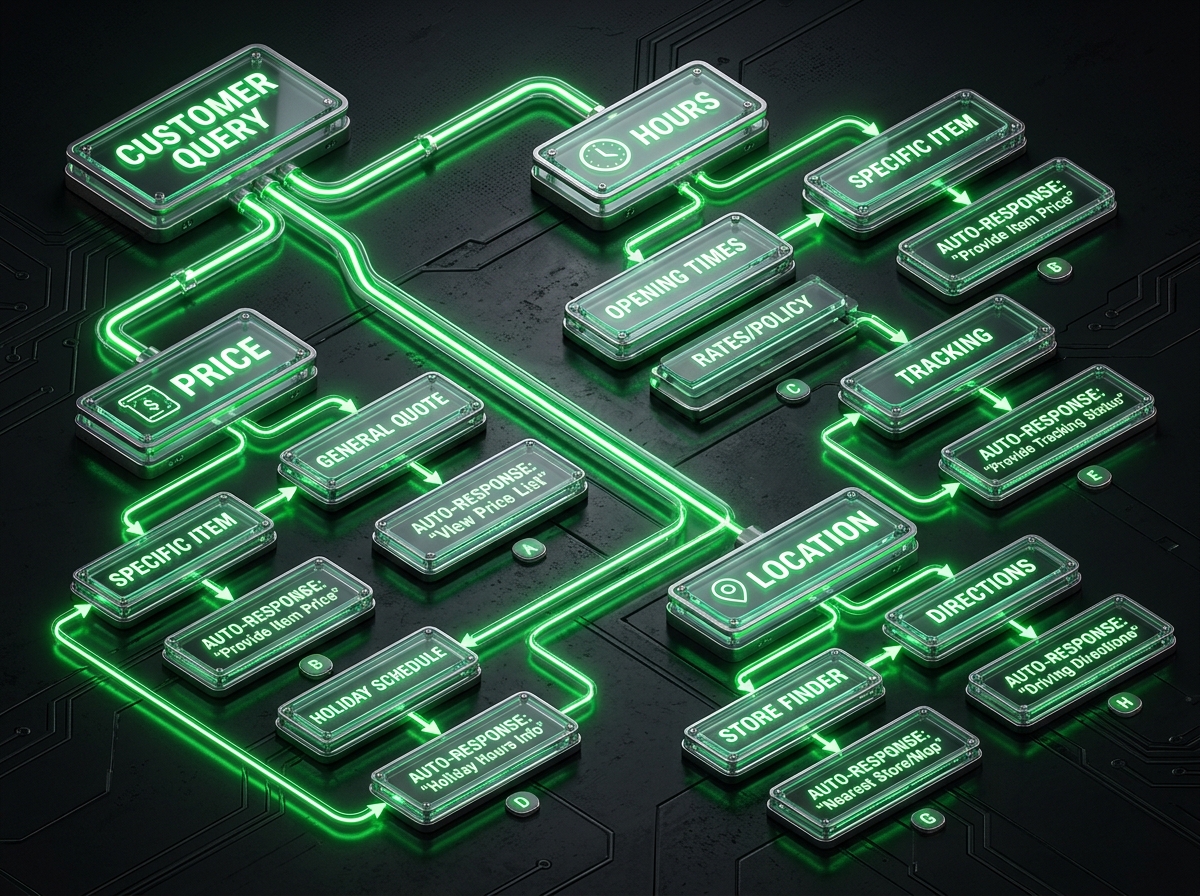
Mapping high-intent keywords: PRICE, HOURS, SHIPPING, LOCATION
FAQ automation begins by mapping the questions your audience asks most frequently. For e-commerce brands, these are typically "PRICE," "SHIPPING," "TRACK," and "RETURN." For local businesses, they are "HOURS," "LOCATION," "APPOINTMENT," and "MENU." For coaches, they are "FEES," "SCHEDULE," and "RESULTS." Each keyword maps to a specific, pre-written answer that resolves the inquiry instantly. The automation uses exact match or contains-match logic to detect these keywords in incoming DMs. For example, if a user messages "What is the price?" the tool detects "PRICE" and sends your pricing sheet. If they message "Do you ship to Delhi?" the tool detects "SHIPPING" and sends your delivery policy. The key is comprehensiveness. Map at least 15-20 keywords covering 80% of your inbound inquiries. Update this keyword map monthly based on new questions that arise. For Indian businesses, include regional variations: "PRICE" and "RATE" and "COST" should all trigger the same response. QuickDM's keyword builder supports unlimited keyword mappings on all plans, so you can build an extensive FAQ bot without hitting artificial limits.
Building a simple decision tree for common questions
A decision tree is a branching logic system that guides users through a series of choices to reach the right answer. Instead of sending a wall of text, the automation asks a question and provides quick-reply buttons. For example: "What do you need help with? [Pricing] [Shipping] [Returns] [Something else]." When the user taps a button, the automation sends the relevant information. This feels interactive and reduces cognitive load. Building a decision tree in QuickDM takes 10-15 minutes. Start with your top 5 question categories. For each category, write a concise answer and decide whether it needs a follow-up. A "Pricing" response might include a link to your pricing page and a follow-up question: "Would you like to book a consultation to discuss your specific needs?" A "Shipping" response might include estimated delivery times and a tracking link. The tree should be no more than 3 levels deep. Users lose patience if they must click through 5 menus to get an answer. Test the tree with team members who are unfamiliar with your business to ensure it is intuitive. Decision trees are particularly effective for Indian SMBs that receive repetitive inquiries about location, timing, and pricing.
Handoff rules: when to stop automating and alert a human
Automation should never pretend to be human indefinitely. There must be clear handoff rules that transfer complex conversations to a real person. Common handoff triggers include: unmapped keywords (the user asks something the bot does not understand), negative sentiment (the user expresses frustration or anger), repeated loops (the user asks the same question twice, indicating the bot's answer is insufficient), and high-value signals (the user mentions a large order, partnership, or press inquiry). When a handoff trigger fires, the automation should send a transparent message: "I want to make sure you get the best help. Let me connect you with [Name] from our team. They'll reply within 2 hours." Then, the tool should alert your team via email, Slack, or in-app notification. QuickDM's dashboard includes an "Escalate" tab that shows all conversations requiring human attention, sorted by urgency. For agencies managing multiple clients, handoff rules are configured per account, ensuring that a salon's complex color consultation routes to the salon owner while a D2C brand's bulk order inquiry routes to the sales team. The goal is zero missed high-intent conversations.
The "when NOT to reply" safeguard (negative keywords, spam filters)
Not every comment or DM deserves a response. Some interactions are spam, trolling, or competitor sabotage. Your automation must include negative keyword safeguards that suppress replies in these scenarios. Common negative keywords include profanity, slurs, competitor brand names, and spam phrases like "DM me for followers" or "Check my page." You can also filter by user behavior: if an account has zero followers, zero posts, and a default profile picture, it may be a bot. QuickDM supports user-level filtering that ignores comments from accounts meeting these criteria. Additionally, you can set rate limits per user to prevent spam. If a single user comments your trigger keyword 20 times in 5 minutes, the automation should ignore all but the first comment. This prevents bot attacks from draining your DM quota. For Indian accounts, also filter out common spam in Hindi and Hinglish. Build a blacklist of 50-100 terms and update it quarterly. The "when NOT to reply" safeguard is as important as the "when to reply" trigger. Protecting your DM channel from pollution ensures that your quota is spent on genuine leads, not trolls.
Giveaway & Contest DM Flows
[TABLE: Giveaway automation workflow checklist with entry, validation, winner, and runner-up stages]
Entry validation via comment keyword and DM confirmation
Giveaway automation is one of the highest-ROI use cases for Instagram Auto DM. The entry mechanism is simple: users comment a specific keyword—such as "ENTER" or "WIN"—on your giveaway post to participate. The automation detects the keyword, validates that the user follows your account, and sends a confirmation DM. The validation step is crucial. It prevents users from entering without following, which is the most common giveaway rule violation. The confirmation DM serves multiple purposes: it confirms entry, delivers the giveaway terms, and optionally asks for an email address for future marketing. A typical confirmation message reads: "[Name], you're entered to win the [prize]! Winner announced on [date]. Make sure you're following us so we can DM you if you win." This message is friendly, informative, and sets expectations. For Indian brands running festive giveaways during Diwali or Independence Day, automation handles the massive entry volume without manual validation. A single viral giveaway post can generate 10,000 entries. Manual validation would require a team of VAs working 24 hours. Automation does it in real time with zero labor cost.
Winner announcement and runner-up coupon automation
When the giveaway ends, the automation selects a random winner from the entry pool and sends an announcement DM. The winner receives a congratulatory message with instructions to claim their prize within 48 hours. If they do not respond, the automation can select a backup winner. For non-winners, the automation sends a "runner-up" message with a consolation coupon. This is a powerful retention tactic: "You didn't win this time, but here is a 15% code THANKS15 for being part of the community." This converts giveaway participants into customers, turning a cost center into a revenue driver. The entire process—from entry to winner announcement to coupon delivery—can be automated end-to-end. QuickDM's free plan supports giveaway entry validation and confirmation for up to 100 followers, while Pro plans handle unlimited giveaway volumes. For agencies, giveaway automation is a high-margin service. You charge the client for campaign setup, and the automation handles execution. Include UTM tracking on all giveaway links to measure participant-to-customer conversion rates.
UTM tracking for giveaway ROI measurement
Without tracking, you cannot measure whether your giveaway actually generated revenue. Every link inside your giveaway DM should include UTM parameters: utm_source=instagram, utm_medium=dm, utm_campaign=giveaway_june2026, and utm_content=entry or winner or runnerup. This allows Google Analytics to segment traffic by DM source and campaign type. Additionally, track the funnel metrics: impressions on the giveaway post, comment entries, DM confirmations, email collections, coupon redemptions, and final purchases. The math is straightforward. If your giveaway post reached 100,000 people, generated 5,000 entries, collected 2,000 emails, and resulted in 150 coupon redemptions worth ₹75,000 in revenue, your cost per email was effectively zero (assuming you used QuickDM's free plan) and your ROI was infinite. For paid plans, subtract the ₹399 monthly cost. Even then, the ROI is typically 50-100× for well-executed giveaways. Share these metrics with clients in monthly reports. Agencies should build a standardized giveaway ROI dashboard that pulls data from Instagram Insights, Google Analytics, and the automation tool's native analytics.
Legal compliance basics for India and global contests
Giveaways are regulated in most jurisdictions, and India is no exception. While small Instagram giveaways among friends are unregulated, commercial giveaways with prizes exceeding ₹5,000 may fall under state-specific gambling and prize competition laws. The safest approach is to include clear terms and conditions in your giveaway DM and post caption. Required disclosures include: eligibility (age, location, follower status), entry method (comment keyword), prize description and value, winner selection method (random draw), winner announcement date, prize delivery timeline, and disclaimer that Instagram is not affiliated with the promotion. For global audiences, also comply with GDPR by stating how collected emails will be used and providing an opt-out link. Never require purchase to enter, as this converts a giveaway into a lottery, which is heavily regulated. QuickDM's template library includes a legally vetted giveaway terms template for Indian and global use. Consult a local lawyer for high-value giveaways (prizes over ₹50,000), but for standard creator and SMB giveaways, the template approach is sufficient.
Auto DM Use Cases for Indian Creators & Coaches
Lead magnet delivery for UPSC, finance, and fitness educators
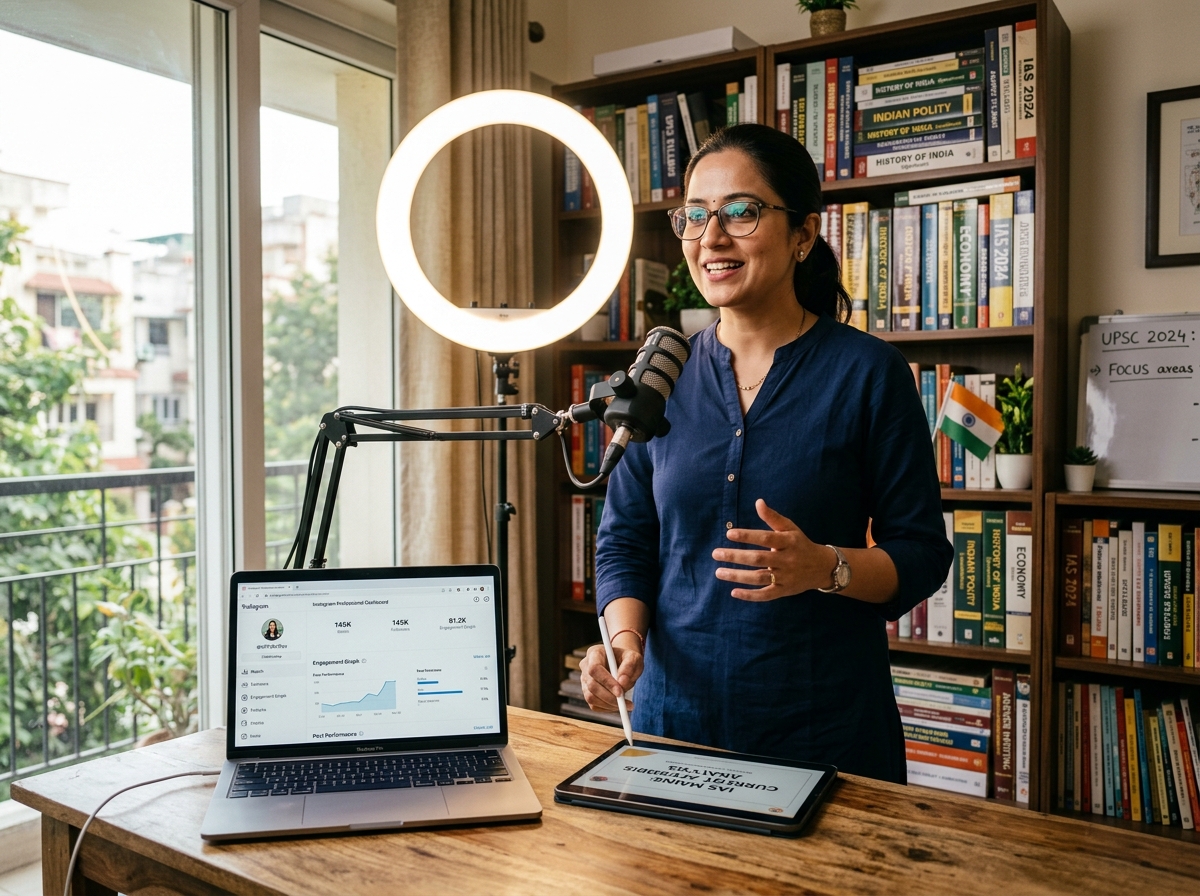
Indian educators on Instagram operate in some of the most competitive niches globally. UPSC preparation, stock market trading, and fitness transformation are saturated markets where trust is the primary currency. Auto DM allows educators to deliver lead magnets instantly, building that trust from the first interaction. A UPSC coach posts a Reel titled "3 mistakes that fail 90% of prelims attempts." The caption says: "Comment MCQ for my free 100-question test series." When users comment, the automation sends a PDF link and a follow-up message: "I also run a daily MCQ group on Telegram. Want the link?" This sequence captures the lead, delivers value, and migrates them to a higher-engagement platform. Finance educators use similar flows for stock screeners and portfolio templates. Fitness coaches deliver workout plans and meal prep guides. The key advantage is scale. A single Reel can generate 2,000 comments, all of which receive the lead magnet within seconds. Without automation, the coach would spend 20 hours manually sending PDFs, or more likely, abandon the effort and lose 90% of leads.
Course enrollment and payment link workflows
Once a lead has received your lead magnet and engaged with your follow-up sequence, the next step is course enrollment. Auto DM facilitates this by delivering payment links at the optimal moment. The workflow is: user comments "COURSE" on an enrollment Reel → automation sends course brochure and pricing → user replies "ENROLL" → automation sends Razorpay or UPI payment link → user completes payment → automation sends welcome message with course access details. This entire funnel happens without human intervention. For Indian creators, UPI integration is critical. Most Indian consumers prefer UPI over credit cards for online purchases under ₹5,000. Include a UPI ID or Razorpay link in your enrollment DM. QuickDM supports link tracking, so you can see exactly how many users clicked the payment link, how many abandoned, and how many converted. For high-ticket courses (₹10,000+), add a human handoff after the pricing message. The automation qualifies the lead and books a consultation call, during which you close the sale personally. This hybrid model maximizes efficiency for low-ticket offers while preserving personal touch for high-ticket sales.
1-on-1 consultation booking with calendar integration
Coaches and consultants in India—from career counselors to astrologers—rely on 1-on-1 sessions for revenue. Auto DM streamlines the booking process by integrating with calendar tools like Calendly or Google Calendar. The flow: user comments "CALL" on your consultation Reel → automation sends availability and a calendar link → user selects a slot → automation sends a confirmation DM with Zoom or Google Meet link → 24 hours before the call, automation sends a reminder. This reduces no-shows by 40% and eliminates the back-and-forth of manual scheduling. For Indian audiences, include a WhatsApp option: "Prefer to book on WhatsApp? Tap here." Many Indian users, especially those over 35, find calendar links confusing and prefer to confirm appointments via WhatsApp message. QuickDM's keyword automation supports both paths: users who comment "CALL" get the calendar link, while users who comment "WHATSAPP" get a direct chat link. Charge consultation fees ranging from ₹500 for 15-minute discovery calls to ₹5,000 for full strategy sessions. The automation handles the logistics; you handle the expertise.
Hindi and Hinglish template examples that convert
Language choice significantly impacts conversion rates in India. While English works for metro audiences and premium niches, Hindi and Hinglish often outperform English in Tier 2 and Tier 3 cities. A Hinglish template for a fitness coach might read: "Hey [Name]! Aapka workout plan ready hai. Link pe click karo aur shuru karo 💪 [Link]" This is 15 words, highly readable, and culturally natural. A pure Hindi template for a spiritual coach: "नमस्ते [Name]! आपकी जन्मकुंडली रिपोर्ट तैयार है। लिंक पर क्लिक करें: [Link]" The key is to match your audience's preferred language without appearing condescending. Test both English and Hinglish versions with A/B splits. QuickDM supports Unicode characters, so Hindi, Tamil, Telugu, and other Indian languages render correctly in DMs. For pan-Indian brands, create language-specific flows based on the user's profile or initial keyword. A user who comments "GUIDE HINDI" receives the Hindi version, while "GUIDE ENG" receives English. This level of personalization increases reply rates by 35-50% compared to generic English-only templates.
Auto DM Use Cases for Local Businesses
Salon and spa appointment booking flows
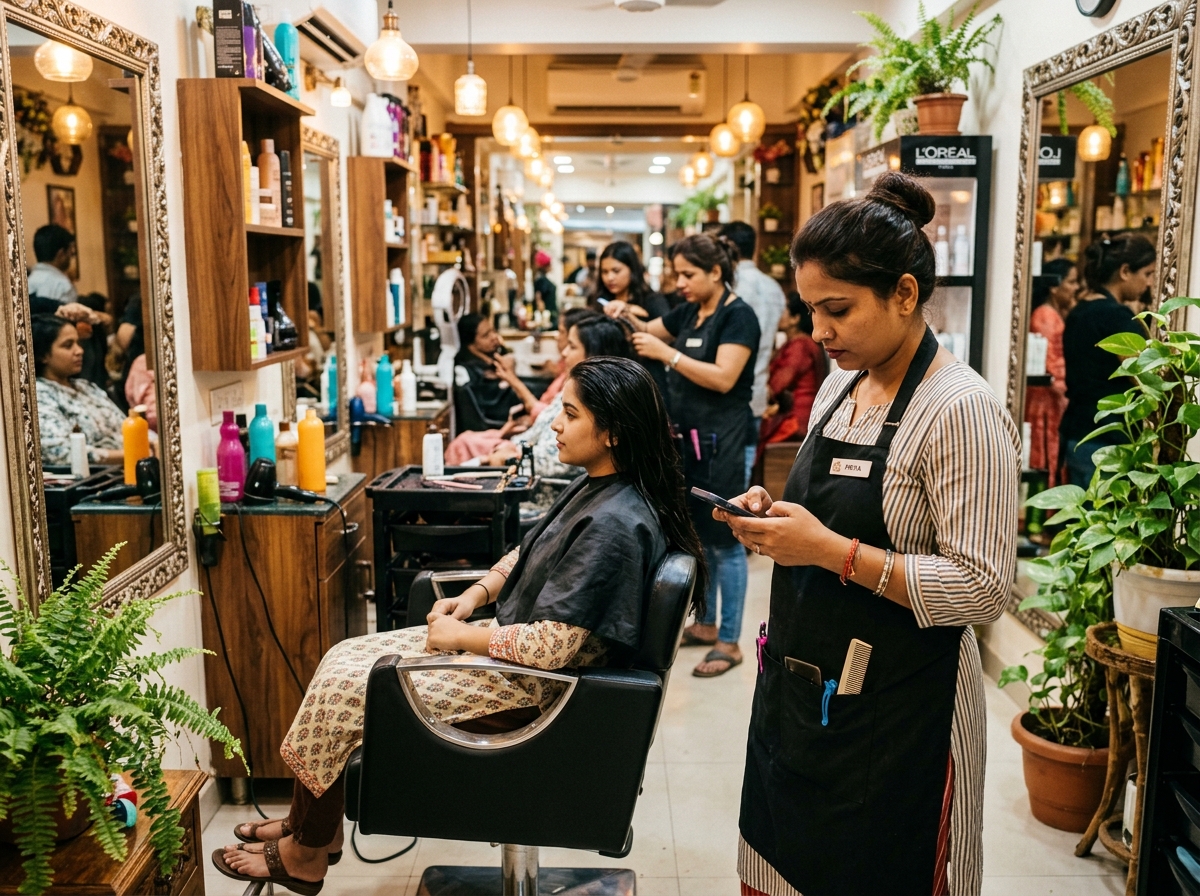
Local salons and spas in India face a constant stream of Instagram DMs asking for availability, pricing, and location. Auto DM transforms these inquiries into confirmed appointments. The typical flow: a user comments "BOOK" on a hairstyle Reel → automation sends service menu and pricing → user replies "HAIRCUT" → automation shows available slots for the next 3 days → user replies "TOMORROW 3PM" → automation confirms the booking and sends the salon address with Google Maps link. This eliminates the need for a receptionist to manually check the calendar and reply to each DM. For salons with multiple stylists, the automation can route bookings to the appropriate professional based on service type. Include an upsell in the confirmation message: "Would you like to add a hair spa for ₹499? Reply YES to add." This increases average order value by 20-30%. For festive seasons like Diwali and Eid, when salons are overwhelmed with booking requests, automation ensures no inquiry is missed. QuickDM's free plan handles 20 DMs per hour, which is sufficient for most local salons. Upgrade to Pro at ₹399/month during high-demand periods.
Clinic and dental consultation scheduling
Healthcare providers in India—from dental clinics to dermatology practices—use Instagram to attract patients, especially younger demographics who research providers on social media before booking. Auto DM handles initial patient inquiries while maintaining HIPAA-equivalent privacy standards. The flow: user comments "CONSULT" on a before-and-after treatment post → automation sends consultation fee, duration, and available slots → user selects a time → automation sends clinic location, parking instructions, and pre-visit requirements. For sensitive treatments, include a privacy note: "Your consultation is confidential. We do not share patient information with third parties." This builds trust. Dental clinics can use specific triggers: "WHITENING" for cosmetic dentistry, "BRACES" for orthodontic inquiries, "IMPLANT" for restorative procedures. Each trigger sends relevant FAQs and pricing, filtering patients by treatment type before they arrive. For clinics in metro areas like Mumbai, Delhi, and Bangalore, where competition is intense, response speed is a competitive advantage. A clinic that replies to an Instagram inquiry in 10 seconds captures the patient before they message the competitor down the street.
Gym membership inquiry and trial class sign-ups
Fitness centers in India use Instagram Reels to showcase transformations, equipment, and class schedules. The comments section fills with "FEES?" and "TRIAL?" inquiries. Auto DM captures these leads and converts them into trial attendees. The flow: user comments "TRIAL" on a transformation Reel → automation sends gym location, class timings, and a free trial booking link → user books a slot → automation sends a reminder 2 hours before the class with what to bring. After the trial, automation sends a follow-up: "How was your workout? Ready to join? Here is a 20% founding member discount: [Link]." This nurtures the lead from first contact to membership sale. For gym chains with multiple locations, include location-specific triggers. A user who comments from Mumbai gets the Andheri branch link, while a user from Delhi gets the Saket branch link. QuickDM's automation supports location-based routing through keyword variations. Gyms in India typically see 30-40% of new members come from Instagram, making Auto DM a core acquisition channel rather than a nice-to-have accessory.
Restaurant table reservation and menu delivery
Restaurants and cafes in India increasingly use Instagram to showcase dishes, ambiance, and special events. Auto DM handles reservation requests and menu inquiries that would otherwise overwhelm staff during service hours. The flow: user comments "MENU" on a food Reel → automation sends a digital menu link with pricing → user replies "BOOK" → automation shows available tables for the next 3 days → user selects a time and party size → automation confirms and sends a WhatsApp link for special requests. For restaurants, speed is everything. A hungry user browsing Instagram at 8 PM wants to book a table for 9 PM. A 30-minute delay in response means they have already chosen another restaurant. Auto DM replies in 10 seconds, capturing the reservation while the user is still in decision mode. Include a "SPECIALS" trigger that sends today's chef recommendations and happy hour deals. For cloud kitchens and delivery-only brands, replace the reservation flow with an order link: "Order now on Swiggy/Zomato: [Link] or call us directly for 10% off: [Number]." QuickDM's ₹399/month Pro plan pays for itself with a single additional table reservation per month.
Auto DM Use Cases for D2C & E-commerce Brands
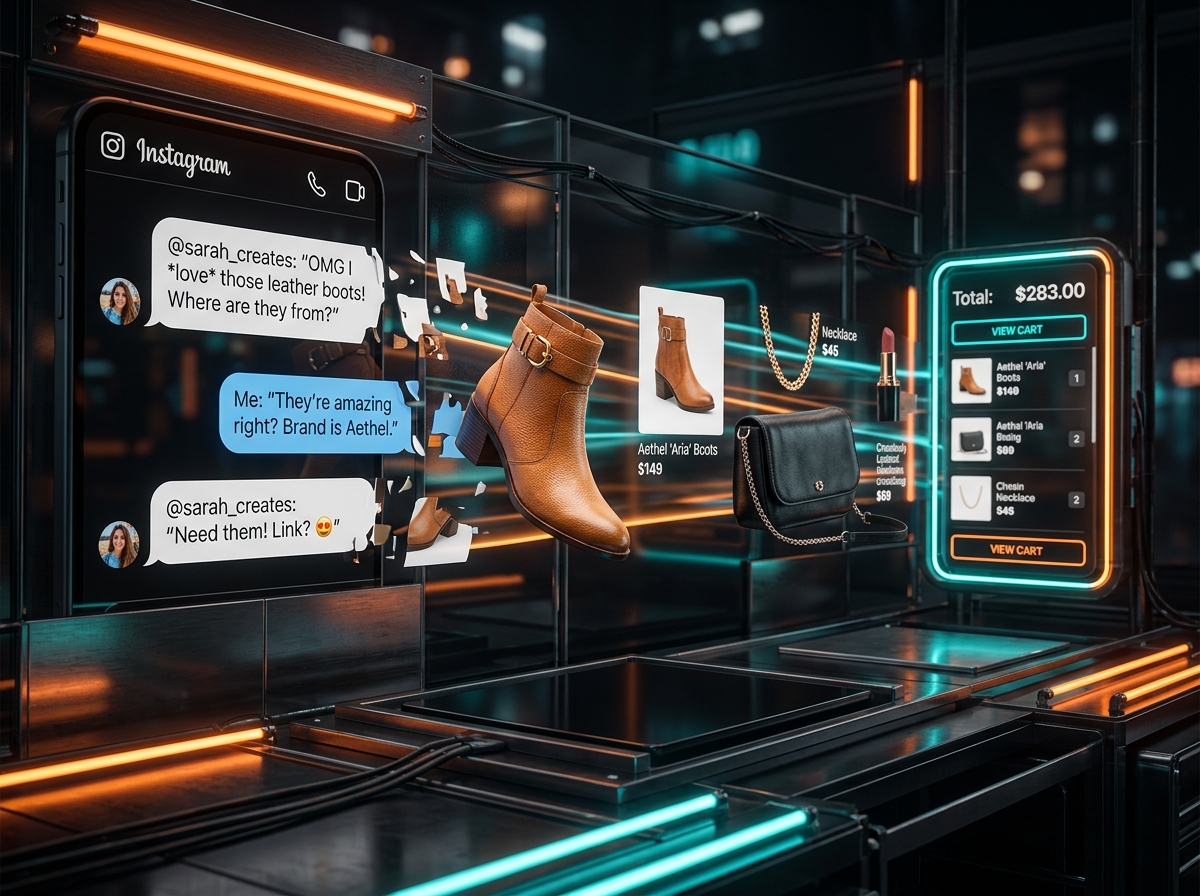
Instant price and stock availability replies
D2C brands in India—especially in beauty, fashion, and Ayurveda—receive hundreds of daily DMs asking "Is this available?" and "What is the price?" Auto DM eliminates this repetitive work. The flow: user comments "PRICE" on a product Reel → automation sends the MRP, current discount, and a direct purchase link → user replies "STOCK" → automation checks inventory and replies with availability for each size or variant. For brands with dynamic inventory, integrate your automation tool with your Shopify or WooCommerce store via API or Zapier. This ensures stock replies are accurate in real time. If a product is out of stock, the automation can offer a back-in-stock notification: "This is currently sold out. Reply NOTIFY and we'll DM you when it's back." This captures demand even when supply is constrained. For Indian D2C brands competing with Amazon and Flipkart, the personal touch of an Instagram DM creates a relationship that marketplaces cannot replicate. A user who receives a friendly, instant price reply is 3× more likely to purchase directly from your website than from a marketplace listing.
Discount code delivery for first-time buyers
First-time buyer discounts are a proven conversion tactic, and Auto DM automates the delivery. The flow: a new follower receives your welcome message, which includes an offer: "Welcome! Here is 10% off your first order. Code: WELCOME10. Valid for 48 hours." The urgency and exclusivity drive immediate action. For users who comment on a product post but do not purchase within 24 hours, send a follow-up DM: "Still thinking about it? Here is an extra 5% off. Code: LASTCHANCE. Expires tonight." This abandoned-interest recovery captures sales that would otherwise be lost. Track discount code usage in your e-commerce platform to measure DM-driven revenue. For Indian festive sales—Diwali, Raksha Bandhan, Holi—create seasonal codes like "DIWALI20" and deliver them through Auto DM to all commenters on your festive collection posts. The combination of cultural relevance and instant delivery creates a powerful purchase trigger. QuickDM's link tracking shows exactly how many users clicked the discount link and how many converted, giving you precise ROI data for every campaign.
Order tracking and shipping update triggers
Post-purchase communication is as important as pre-purchase marketing. When a customer places an order, they anxiously await shipping confirmation. Auto DM can deliver these updates proactively. The flow: your e-commerce platform sends a webhook to QuickDM when an order ships → automation sends a DM: "Hi [Name], your order #[Number] has shipped via [Courier]. Track here: [Link]. Expected delivery: [Date]." This reduces "Where is my order?" inquiries by 60%, freeing your customer service team for complex issues. For delivery delays, automation sends a proactive apology with a compensation offer: "Your delivery is delayed by 1 day due to weather. Here is ₹50 store credit as an apology: [Code]." This turns a negative experience into a loyalty-building moment. Indian consumers are particularly sensitive to delivery transparency, given the logistical challenges in Tier 2 and Tier 3 cities. Proactive DM updates build trust and reduce chargebacks. To set this up, connect your Shopify, WooCommerce, or custom store to QuickDM via webhook or Zapier. The integration takes 15 minutes and runs forever.
Abandoned cart recovery via DM (within 24-hour window)
Abandoned cart recovery is a high-ROI automation use case. When a user adds items to their cart but does not complete checkout, they have already shown strong purchase intent. The challenge is reaching them within Instagram's 24-hour messaging window. If the user initiated contact by DMing your account or commenting on a post within the last 24 hours, you can send a cart recovery message. The flow: user abandons cart → automation checks if a 24-hour window is open → if yes, sends: "[Name], you left something behind. Your cart is waiting: [Link]. Complete your order in the next 2 hours and get free shipping." This is more personal than email recovery and achieves 2-3× higher open rates. The key constraint is the 24-hour window. You cannot message users who have not engaged recently. To solve this, encourage users to comment a keyword like "SHOP" before browsing, which opens the messaging window. Then, even if they abandon their cart 20 hours later, you can still send the recovery DM. For Indian D2C brands, combine this with WhatsApp recovery for users outside the Instagram window. The multi-channel approach maximizes recovery rates.
Auto DM for Agencies & Multi-Account Management
[TABLE: Agency dashboard requirements comparison across tools for managing multiple client accounts]
Dashboard requirements for managing 5, 10, or 50 client accounts
Agencies managing Instagram automation for multiple clients need a centralized dashboard that provides account-level visibility without cross-contamination. The dashboard must support: separate automation workspaces per client, distinct webhook endpoints per Instagram account, role-based access control (so junior staff cannot modify senior client flows), real-time health monitoring (which accounts are active, which have hit rate limits, which need attention), and bulk editing capabilities (update a keyword trigger across 20 accounts simultaneously). QuickDM's agency features include multi-account switching, client-specific analytics, and white-label reporting. For 5-client agencies, a single Pro plan with workspace organization suffices. For 10-50 clients, you need an agency tier with volume pricing and dedicated support. ManyChat's Advanced plan at $139/month supports multi-workspace management but scales per contact, making costs unpredictable for viral clients. LinkDM's Platinum+ at $99/month supports 10 accounts with 300,000 DMs, which is suitable for mid-size agencies. For Indian agencies serving local SMBs, QuickDM's ₹399/month per account is often more cost-effective than global tools priced in USD.
Per-campaign reporting, UTM tagging, and ROI dashboards
Clients do not care about DM volume; they care about revenue. Agency dashboards must translate DM metrics into business outcomes. Per-campaign reporting should track: DM sends, open rates, click-through rates, conversion rates, revenue attribution, cost per acquisition, and return on ad spend. UTM tagging is essential. Every link in every client DM should include campaign-specific parameters: utm_source=instagram_dm, utm_medium=automation, utm_client=clientname, utm_campaign=campaignid. This allows Google Analytics to segment traffic by client and campaign, showing exactly which automation flow drove which sale. ROI dashboards should update in real time. When a user clicks a DM link and completes a purchase, the dashboard should reflect that revenue within minutes. For e-commerce clients, integrate with Shopify or WooCommerce for direct revenue sync. For service clients, integrate with CRM tools like HubSpot or Zoho to track lead-to-customer progression. QuickDM's native analytics include link clicks and DM volume, but for full-funnel ROI, pair it with Google Analytics 4 and your client's CRM. Present these reports monthly in white-label PDFs that reinforce your agency's value.
White-label considerations and client access levels
White-label automation allows agencies to present the tool as their own proprietary technology. This increases perceived value and justifies higher retainers. White-label features include: custom domain for the dashboard (automation.youragency.com), branded email notifications, custom logo and color scheme in the interface, and client-facing reports with your agency's branding. Not all tools offer white-label. ManyChat's white-label is limited to higher tiers and requires custom development. CreatorFlow and LinkDM do not offer white-label at all. QuickDM's agency plan includes white-label options for Indian agencies seeking to differentiate in a crowded market. Client access levels are equally important. You want clients to see performance data without being able to modify flows or view other clients' accounts. Role-based access control should include: Admin (full access), Editor (can modify flows but not billing), Viewer (read-only analytics), and Client (limited dashboard showing only their account). This prevents accidental cross-client contamination and protects your agency's intellectual property. When onboarding a new client, create their workspace, configure their flows, and grant them Viewer access. They see the value; you retain control.
Volume pricing: when LinkDM Platinum makes sense vs QuickDM Pro
Agency pricing decisions depend on client volume and account count. LinkDM Platinum+ at $99/month (approximately ₹8,300) offers 300,000 DMs across 10 accounts. This makes sense when: you manage 6-10 high-volume clients, your clients run frequent viral campaigns, and you need unified billing for the agency. The cost per account is $9.90, which is competitive for high-volume use. However, LinkDM charges in USD, creating currency risk for Indian agencies. The $99/month price converts to approximately ₹8,300, which is 20× more expensive than QuickDM Pro. For global agencies serving high-volume clients, this is reasonable. For Indian SMBs, it is prohibitive. Additionally, LinkDM's free tier is limited to 1,000 DMs/month, which is less generous than QuickDM's unlimited automations on the free plan. Choose LinkDM only if you have verified that your volume consistently exceeds 50,000 DMs/month. For everyone else, the extra capacity is unused and the higher price is wasted money.
Pricing & DM Cap Comparison: Every Major Tool Ranked
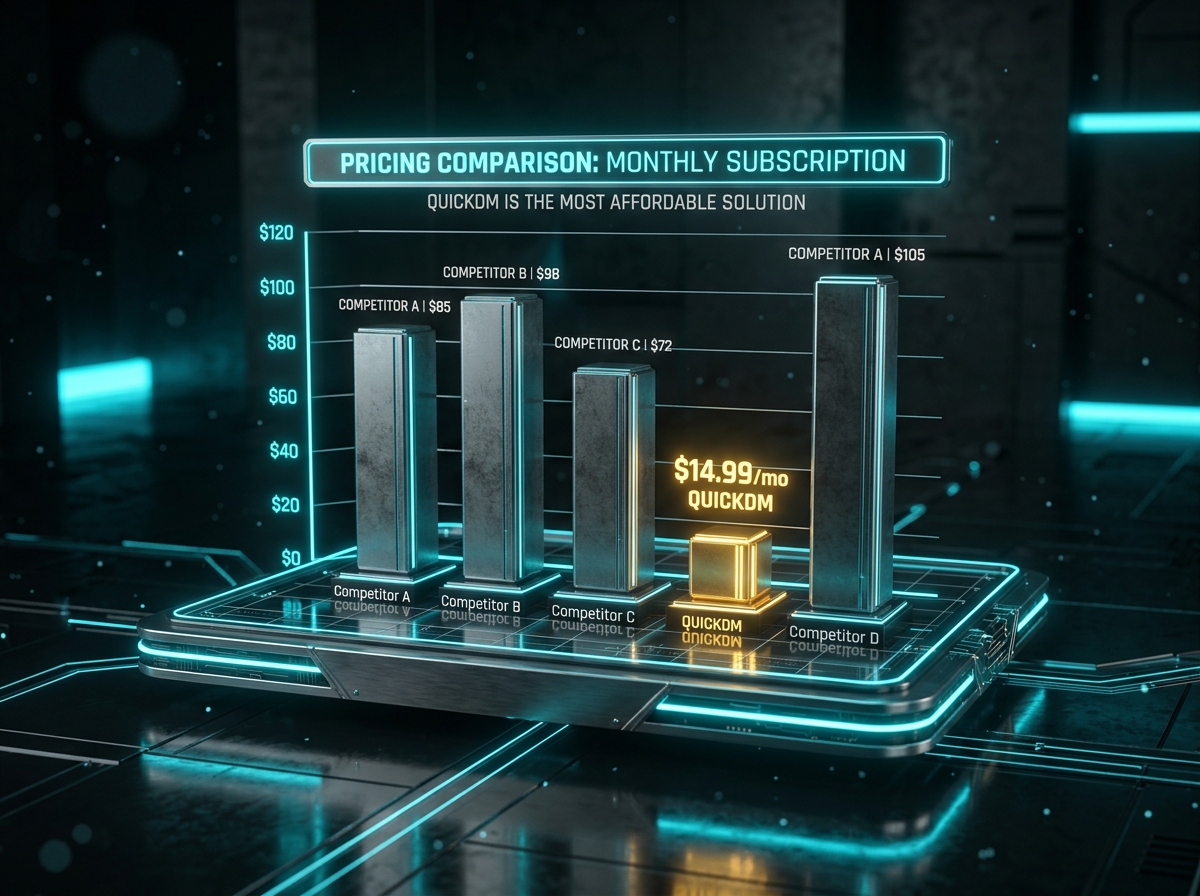
Free tier honesty audit: what's actually free vs a disguised trial
The word "free" is abused in the automation industry. A true free tier should have no time limit, no credit card requirement, and sufficient features to run a real campaign. QuickDM's free plan offers unlimited automations, 20 DMs/hour, follow-gating for up to 100 followers, and email collection for up to 100 emails—no credit card, free forever. This is a genuine free tier. CreatorFlow's free plan offers 500 DMs/month, which is usable for small accounts but lacks advanced features like follow-gating. LinkDM's free plan offers 1,000 DMs/month, which is generous but requires LinkDM branding on messages. ManyChat's free plan was reduced to 25 contacts in March 2026, making it effectively a trial, not a free tier. InstantDM offers no free plan at all, only a 7-day trial. When evaluating free tiers, ask three questions: Can I run a real campaign without upgrading? Will I hit a hard cap in the first week? Is my data trapped if I do not pay? QuickDM passes all three tests. [Source: manychat.com/pricing, verified June 2026] [Source: creatorflow.so/pricing, verified June 2026] [Source: linkdm.com/pricing, verified June 2026]
Cost per 1,000 DMs calculated across all tools
Cost per 1,000 DMs is the fairest metric for comparing automation tools, because it normalizes pricing across different billing models. QuickDM Pro at $10/month (₹399) with 185 DMs/hour sustained over a 30-day month equals approximately 133,200 DMs/month. The cost per 1,000 DMs is roughly $0.075, or ₹3. ManyChat's Pro plan at $15/month for 1,000 contacts does not translate directly to DM volume, but assuming 3 DMs per contact per month, the cost per 1,000 DMs is approximately $5.00. CreatorFlow Pro at $15/month for 5,000 DMs costs $3.00 per 1,000 DMs. LinkDM Pro at $19/month for 25,000 DMs costs $0.76 per 1,000 DMs. InstantDM Legend at $9.99/month with a 750/hour soft cap costs approximately $0.40 per 1,000 DMs at sustained volume. The clear winner for pure cost efficiency at moderate volume is QuickDM, followed by InstantDM and LinkDM. However, cost per DM is not the only factor. ManyChat's higher cost includes multi-channel support (WhatsApp, SMS, email), which may justify the premium if you need unified messaging. For Instagram-only users, the per-contact billing model is punitive. [Source: manychat.com/pricing, verified June 2026] [Source: creatorflow.so/pricing, verified June 2026] [Source: linkdm.com/pricing, verified June 2026] [Source: instantdm.com/pricing, verified June 2026]
Cost at 5k, 10k, and 50k followers (contact-based vs flat-rate)
Follower count directly impacts your automation costs under contact-based pricing models. ManyChat charges per contact, not per DM. At 5,000 active contacts, ManyChat Pro costs approximately $45/month. At 10,000 contacts, $75/month. At 50,000 contacts, $235/month. At 100,000 contacts, $435/month. These costs scale with your success, creating a "success tax" that punishes growth. Flat-rate tools like QuickDM, CreatorFlow, and LinkDM charge the same regardless of follower count. QuickDM Pro is $10/month (₹399) whether you have 1,000 followers or 1 million. CreatorFlow Pro is $15/month for 5,000 DMs regardless of audience size. LinkDM Pro is $19/month for 25,000 DMs. For a creator growing from 10k to 50k followers, ManyChat costs increase 3× while flat-rate tools stay constant. The break-even point depends on your engagement rate. If 5% of your followers interact monthly, a 50k account generates 2,500 contacts. ManyChat at $45-75/month is competitive with flat-rate tools. But if 20% interact—a common rate for engaged niches like fitness and finance—ManyChat becomes prohibitively expensive. Flat-rate tools are the safer long-term bet for growing accounts. [Source: manychat.com/pricing, verified June 2026]
Hidden fees: per-contact billing, overage charges, and annual lock-in
Beyond the headline monthly price, automation tools hide costs in three ways. First, per-contact billing means your invoice grows as your audience grows, even if you do not add new features. ManyChat's contact tiers jump from $15 to $45 to $75 to $235 with no warning. A viral post that activates 10,000 new contacts can double your bill overnight. Second, overage charges apply when you exceed DM limits. Some tools pause automation at the limit, while others charge per-message overages. CreatorFlow and LinkDM pause at limits with no overage charges. ManyChat automatically upgrades your tier, which is effectively a forced overage. Third, annual lock-in requires prepayment for a year to receive the advertised price. CreatorFlow offers a 20% annual discount, LinkDM offers 20-30%, but if you cancel mid-year, you forfeit the remaining months. QuickDM uses simple monthly billing with no annual lock-in, no overage charges, and no per-contact billing. Your invoice is predictable: ₹399/month, every month, regardless of viral spikes or audience growth. For Indian SMBs operating on tight cash flows, this predictability is a financial safeguard. [Source: manychat.com/pricing, verified June 2026] [Source: creatorflow.so/pricing, verified June 2026] [Source: linkdm.com/pricing, verified June 2026]
India pricing deep-dive: INR comparison (₹399 vs ₹1,200–₹3,000 competitors)
For Indian creators and businesses, currency conversion is a hidden cost that amplifies every subscription. ManyChat's $15/month Essential plan converts to approximately ₹1,250/month at current exchange rates. CreatorFlow's $15/month Pro plan is also ₹1,250. LinkDM's $19/month Pro plan is ₹1,580. InstantDM's $9.99/month Legend plan is ₹830. QuickDM Pro at ₹399/month is not just cheaper—it is 3× cheaper than the next closest competitor and 7× cheaper than ManyChat. For a 12-month subscription, the savings are substantial: QuickDM costs ₹4,788/year, while ManyChat costs ₹15,000/year. That ₹10,000+ difference is enough to fund a professional video shoot, a month of Instagram ads, or a new product launch. Additionally, QuickDM supports UPI payments, which eliminates foreign transaction fees and currency conversion markups. Global tools require credit cards and charge in USD, adding 2-3% forex fees on every transaction. For Indian agencies managing 10 client accounts, the annual savings of choosing QuickDM over ManyChat exceeds ₹1,00,000—enough to hire a junior content creator. The pricing advantage is not just about being cheaper; it is about being accessible to the Indian market.
Safety & Ban Avoidance: Lessons from Reddit
The SuperProfile 23,000 DM ban story dissected
The SuperProfile ban is the most cited cautionary tale in Instagram automation communities. In October 2025, a creator with 400,000 followers used SuperProfile's AutoDM feature to run a massive giveaway. The campaign generated 50,000+ comments, and SuperProfile attempted to send a private reply to every commenter within 24 hours without throttling. The volume exceeded 23,000 DMs in a single day, far beyond Meta's 750/hour private-reply limit. Instagram's anti-spam systems flagged the account for bot behavior and issued a permanent disable. The creator lost their entire audience, years of content, and a significant revenue stream. The Reddit thread analyzing this incident identified three failures: the tool did not enforce rate limits, the user did not understand Meta's caps, and the campaign was designed for volume rather than value. The lesson is not that Auto DM is dangerous—it is that volume abuse is dangerous. Meta's API provides the tools for safe automation, but it is the tool provider's responsibility to enforce rate limits. It is also the user's responsibility to choose tools that throttle responsibly. QuickDM's hard cap at 185 DMs/hour on Pro plans exists specifically to prevent this scenario. No viral surge is worth losing your account. If a tool promises unlimited DMs or no rate limits, it is either lying or using unofficial methods. Both outcomes end in bans. [Source: https://www.reddit.com/r/Instagram/comments/1sv8w1r/warning_superprofile_autodm_got_my_61k_instagram/, verified april 2026]
What Reddit's r/Instagram and r/socialmedia say about safe tools
Reddit communities are the most honest source of automation tool reviews because users have no affiliate incentive. r/Instagram and r/socialmedia consistently recommend API-first tools with built-in throttling. The most praised safety features include: hard rate limits that cannot be overridden by users, human-like delay randomization, message rotation (sending slightly different templates to avoid pattern detection), and transparent error handling when limits are approached. Users warn against tools that require password sharing, browser extensions, or mobile app installations that simulate human tapping. These are clear red flags for unofficial automation. The consensus on Reddit is that bans are almost always caused by user behavior, not the tool itself. Users who read Meta's documentation, set conservative limits, and avoid aggressive follow/unfollow scripts rarely experience issues. The community also emphasizes the importance of account age. New accounts (under 30 days) should not use automation at all. Wait until you have 30 days of organic posting history and 100+ followers before enabling Auto DM. This builds trust with Instagram's algorithms and reduces the risk of false-positive spam detection. [Source: https://www.reddit.com/search/?q=safe+auto+dm+tool&cId=83c7a615-76ea-40c3-a5f8-01e81859090a&iId=f47cbf0c-8486-438a-937b-9d73f6210d31, verified June 2026]
The DO list: API-first, throttling, human-like delays, message rotation
Safe Instagram automation follows a clear set of best practices. DO use an API-first tool that connects via Meta's official OAuth flow. DO enable throttling at conservative levels: 20/hour for new accounts, 50-100/hour for growing accounts, and 150-185/hour for established accounts. DO configure human-like delays of 5-30 seconds between messages to avoid pattern detection. DO rotate message templates so that identical messages are not sent hundreds of times in a row. Even small variations—changing "Hey" to "Hi" or reordering sentences—reduce spam scores. DO monitor your account health weekly using Instagram's Account Status feature. DO keep your automation within the 24-hour messaging window and never message users who have not engaged recently. DO use negative keyword filters to avoid engaging with spam or toxic comments. DO test every flow with a secondary account before going live. DO update your automation monthly based on performance data and Meta policy changes. These practices are not optional extras; they are the baseline for sustainable automation. QuickDM implements most of these safeguards by default, so users do not need to be API experts to stay safe.
The DON'T list: browser bots, password sharing, auto-follow, scripted likes
The fastest way to get banned is using browser automation bots. These tools log into your Instagram account using your username and password, then simulate human behavior by clicking buttons and typing messages. Instagram detects this through device fingerprinting, behavior analysis, and CAPTCHA challenges. If a tool asks for your password, run away. Password sharing violates Meta's Terms of Service and exposes your account to credential theft. Auto-follow scripts that mass-follow and unfollow users to inflate follower counts are equally dangerous. They create unnatural follow patterns that Instagram's algorithms detect within days. Scripted likes—automated liking of posts to attract attention—are also high-risk. They generate engagement that is not reciprocated, triggering spam flags. The DON'T list also includes: using multiple automation tools simultaneously on the same account, sending identical messages to hundreds of users, messaging users who have not engaged with your content, and attempting to circumvent rate limits with multiple accounts or proxies. These practices are not gray areas; they are explicit violations. The creators who complain about "unfair bans" on Reddit are almost always guilty of one or more of these offenses.
Shadowban vs action block vs permanent disable: what's reversible
Not all restrictions are equal. A shadowban is an algorithmic reduction in content distribution. Your posts stop appearing in hashtags and Explore, but your account remains functional. Shadowbans are typically caused by hashtag spam, fake engagement, or repetitive content. They last 7-14 days and resolve automatically if you stop the triggering behavior. An action block is a temporary restriction on specific actions, such as liking, commenting, or messaging. Action blocks last 24 hours to 30 days, depending on severity. They are caused by rate limit violations or suspicious behavior patterns. Action blocks are reversible; you simply wait them out and adjust your behavior. A permanent disable is the nuclear option. Instagram deletes your account with no appeal path. Permanent disables are reserved for severe violations: hate speech, illegal content, repeated bot usage after warnings, and extreme spam. The SuperProfile 23,000 DM case resulted in a permanent disable because it was classified as severe platform abuse. Using an official API tool within rate limits will never result in a permanent disable. The worst-case scenario is a temporary action block, which resolves in days. This is why choosing the right tool matters more than obsessing over perfect settings.
Recovery steps if your account gets restricted
If your account receives a messaging restriction or action block, take these steps immediately. First, pause all automation. Do not attempt to switch tools or increase volume to "make up" for lost time. Second, review your recent activity. Did you exceed rate limits? Did you use a new tool? Did you change your automation settings? Third, check Instagram's Account Status in Settings → Account → Account Status to see if a specific violation is listed. Fourth, submit an appeal if the restriction seems incorrect. Instagram's appeal form is slow but functional for false positives. Fifth, wait. Do not attempt to message manually from the restricted account, as this can extend the block. Sixth, during the restriction period, focus on organic content creation. Post Reels, engage genuinely in comments, and rebuild trust signals. Seventh, when the restriction lifts, restart automation at 50% of your previous volume for one week before scaling back to normal. This gradual ramp prevents immediate re-flagging. Eighth, if you were using an unofficial tool, switch to an API-approved platform like QuickDM before resuming automation. The cleanest recovery is a fresh start with compliant infrastructure.
Copy-Paste DM Templates for Every Vertical
[TABLE: 10 DM templates with trigger keywords, message copy, and best-use vertical]
Lead magnet delivery template (creators/educators)
Trigger keyword: GUIDE. Message: "Hey [Name]! 🎓 Here is the free guide you requested: [Link]. It covers [Topic] in 10 pages—no fluff, just actionable steps. Want me to send you the advanced version next week? Reply ADVANCED." This template is 40 words, delivers immediate value, and plants a seed for future engagement. The emoji adds personality without being unprofessional. The open-ended question at the end increases reply rates by 20-30%. For Indian educators, add a Hinglish variant: "Hey [Name]! 📚 Aapka free guide ready hai: [Link]. Isme [Topic] ke top tips hain. Advanced version chahiye? Reply ADVANCED." Test both versions and track which generates more clicks. Always include UTM parameters on the link: ?utm_source=instagram_dm&utm_medium=automation&utm_campaign=lead_magnet_june2026. This allows you to measure exactly how many leads came from this specific template.
Product price inquiry template (D2C/e-commerce)
Trigger keyword: PRICE. Message: "Hi [Name]! 💰 The [Product] is priced at ₹[Price]. We are running a 15% launch discount—code NEW15 brings it to ₹[Discounted Price]. Here is the direct link to shop: [Link]. Any questions? Just reply!" This template is 35 words, answers the question directly, and includes urgency through the limited-time discount. For fashion brands, add a size note: "Available in sizes S-XXL. Reply SIZE for the size chart." For beauty brands, add a skin type filter: "Suitable for all skin types. Reply INGREDIENTS for the full list." These micro-interactions keep the conversation alive and increase the probability of conversion. The UTM link should include product-specific parameters: ?utm_source=instagram_dm&utm_medium=automation&utm_campaign=price_inquiry&utm_content=[ProductID]. For Indian D2C brands, mentioning UPI acceptance increases trust: "Pay via UPI, card, or COD."
Consultation booking template (coaches/agencies)
Trigger keyword: CALL. Message: "Hey [Name]! 📞 I'd love to help you with [Problem]. I have 2 slots open this week: Tuesday 3 PM and Thursday 11 AM. Pick one and I'll send the Zoom link. Or if you prefer, book directly here: [Calendly Link]." This template is 35 words, creates scarcity with limited slots, and offers two booking paths. For Indian coaches, add a WhatsApp option: "Prefer WhatsApp? Tap here: [wa.me Link]." The Calendly link should include pre-filled name and email parameters for a seamless experience. After booking, send a confirmation: "Confirmed for [Day] at [Time]. Here is the Zoom link: [Link]. See you then!" Include a 2-hour reminder: "Your call is in 2 hours. Here is the link again: [Link]. Prepare 2 questions you want to cover." This reduces no-shows by 40%. For high-ticket coaches (₹10,000+ per session), add a qualifying question before the booking link: "What is your biggest challenge with [Topic]?" This filters out unqualified leads.
Story mention thank-you + coupon template
Trigger: Mention in Story. Message: "[Name]! 🙏 Thank you for sharing us in your Story. That means the world to us. Here is a 10% code STORY10 as a small thank-you. Valid for 48 hours: [Link]. Feel free to tag us anytime—we love seeing your posts!" This template is 40 words, expresses genuine gratitude, delivers a reward, and encourages future mentions. The 48-hour expiration creates urgency. For D2C brands, increase the discount to 15-20% for micro-influencers with 5,000+ followers. For nano-influencers under 1,000 followers, a 10% code is sufficient. Track coupon usage by creating unique codes per influencer campaign: STORY10_JUNE, STORY10_JULY. This allows you to measure which months generate the most user-generated content. For Indian brands, add a Hindi greeting: "[Name], aapka bahut bahut dhanyavaad! 🙏" This resonates deeply with regional audiences. The link should direct to a dedicated landing page that acknowledges the Story mention: "Welcome, Story friend! Here is your exclusive discount."
Giveaway entry confirmation template
Trigger keyword: ENTER. Message: "[Name], you are IN! 🎉 Your entry for the [Prize] giveaway is confirmed. Winner announced on [Date] at [Time] via DM. Make sure you are following us so we can reach you. Want 5 bonus entries? Share this post to your Story and tag us!" This template is 35 words, confirms entry, sets expectations, and incentivizes additional sharing. The bonus entry mechanic increases viral reach by 3-5×. For Indian giveaways, include a disclaimer: "Open to residents of India only. Not sponsored by Instagram." This protects your brand legally. After the giveaway ends, send a runner-up message to non-winners: "You didn't win this time, but here is 15% off as a thank-you: [Code]." This converts 10-15% of participants into customers. Track giveaway ROI by creating a unique landing page for entries: quickdm.app/giveaway-june2026?utm_source=instagram_dm&utm_medium=automation&utm_campaign=giveaway.
New follower welcome message template
Trigger: New Follower. Message: "Hey [Name]! 👋 Welcome to the community. I share daily tips on [Topic]. Here is a free starter kit to get you going: [Link]. What are you most excited to learn? Reply and let me know!" This template is 30 words, welcomes the follower, delivers immediate value, and invites conversation. The question at the end is critical—it prompts a reply, which resets the 24-hour messaging window and keeps the relationship active. For Indian creators, personalize the greeting: "Namaste [Name]! 🙏 Swagat hai aapka." This cultural touch increases reply rates significantly. Avoid sales pitches in the welcome message. The goal is relationship-building, not immediate conversion. The free starter kit should be genuinely useful, not a disguised sales brochure. If the user does not reply within 24 hours, send a follow-up: "Did you get the starter kit? Here is the link again: [Link]. Let me know if you have questions!" This gentle reminder recaptures 15-20% of silent followers.
Support FAQ auto-response template
Trigger keyword: SHIPPING. Message: "Hi [Name]! 📦 We ship across India within 3-5 business days. Metro cities (Mumbai, Delhi, Bangalore) often receive orders in 2 days. Shipping is free on orders above ₹999. Track your order here: [Link]. Need help with something else? Reply HELP." This template is 35 words, answers the question completely, and offers escalation. For returns, use: "Returns accepted within 7 days of delivery. Reply RETURN for the process." For sizing: "Reply SIZE for the detailed size chart and fit guide." The HELP keyword routes to a human handoff, ensuring complex issues are not trapped in automation. Update these templates seasonally. During Diwali, add: "Due to high demand, Diwali orders may take 1-2 extra days. Order by [Date] for guaranteed delivery." This manages expectations and reduces complaints. For global brands, create location-specific templates: "We ship to the US, UK, UAE, and Australia. Reply COUNTRY for shipping rates to your location."
WhatsApp redirect template for high-intent leads
Trigger keyword: WHATSAPP. Message: "[Name], I'm active on WhatsApp for faster responses! Tap here to chat: [wa.me Link]. I usually reply within 10 minutes there. See you on WhatsApp! 👋" This template is 20 words, offers a clear benefit (faster replies), and provides a one-tap transition. Use this only after the user has already engaged with your automation and shown purchase intent. Do not send WhatsApp redirects to cold followers who have not interacted. The wa.me link should include a pre-filled message: "Hi, I came from Instagram and I'm interested in [Product]." This gives you context when they arrive on WhatsApp. For Indian businesses, WhatsApp is often the primary sales channel, so this redirect is essential. Track WhatsApp redirects by using unique wa.me links per campaign: wa.me/91XXXXXXXXXX?text=Hi%20from%20Instagram%20DM%20June2026. This allows you to measure which Instagram campaigns drive the most WhatsApp conversations. After the redirect, continue the sale on WhatsApp Business API for full automation support.
Hindi/Hinglish creator outreach template
Trigger keyword: GUIDE. Message: "Namaste [Name]! 🙏 Aapka free guide taiyaar hai. Isme [Topic] ke sabse important points hain. Link pe click karo: [Link]. Koi sawaal ho toh reply karo—I personally reply to every message!" This template is 30 words, culturally resonant, and emphasizes personal attention. The phrase "I personally reply" builds trust, even when the first message is automated. For pure Hindi audiences, use: "नमस्ते [Name]! आपकी मार्गदर्शिका तैयार है। यहाँ क्लिक करें: [Link]। कोई सवाल हो तो उत्तर दें।" For Hinglish audiences, mix English and Hindi naturally: "Hey [Name]! Aapka [Topic] guide ready hai. Yeh raha link: [Link]. Advanced tips chahiye? Reply ADVANCED." Test all three variants with your audience. Typically, Hinglish outperforms pure English and pure Hindi for urban Indian audiences aged 18-35. Pure Hindi works best for audiences over 45 and Tier 3 city users. Track click rates by language to optimize your template strategy.
E-commerce discount + urgency template
Trigger keyword: OFFER. Message: "[Name], this is for YOU! 🎁 Flash sale: 25% off everything for the next 6 hours only. Code: FLASH25. Shop now: [Link]. After 6 PM tonight, prices go back to normal. Don't miss out!" This template is 30 words, creates extreme urgency, and includes a clear deadline. The personalization token [Name] increases open rates by 15%. For Indian festive sales, adapt the urgency to cultural context: "Diwali dhamaka: 30% off till midnight tonight. Code: DIWALI30." For end-of-season sales: "Last 50 pieces remaining. Code: LAST50 for 20% off." Always include a genuine deadline. Fake urgency—saying "last few hours" when the sale runs for a week—damages trust when users discover the lie. Track urgency template performance against evergreen templates. Urgency typically converts 2-3× higher but should be used sparingly (once per month maximum) to avoid desensitizing your audience. Pair urgency templates with viral Reels for maximum impact: the Reel drives traffic, the DM captures it with a time-bound offer.
How to Choose the Right Auto DM Tool for Your Needs
If you need WhatsApp + Instagram + SMS → ManyChat
ManyChat is the undisputed leader in multi-channel automation. If your business operates across Instagram, WhatsApp, Facebook Messenger, SMS, and email, ManyChat's unified inbox and cross-platform flows are unmatched. You can build a single automation that starts on Instagram, continues on WhatsApp, and finishes with an email confirmation. This is invaluable for large e-commerce brands and enterprises with complex customer journeys. However, this power comes at a cost. ManyChat's per-contact pricing means your bill grows with your audience, and the free tier is limited to 25 contacts as of March 2026. For businesses that genuinely need multi-channel orchestration, the $45-235/month cost is justified. For Instagram-only creators, it is overkill. If you are an Indian agency serving clients who use WhatsApp as their primary channel, ManyChat is worth considering despite the USD pricing. Just budget for currency conversion and the steep learning curve. The flow builder is powerful but complex; expect 2-3 weeks of training before launching professional campaigns. [Source: manychat.com/pricing, verified June 2026]
If you're Instagram-only and cost-sensitive → QuickDM
QuickDM is built for one purpose: Instagram DM automation at the lowest possible cost. If you do not need WhatsApp, SMS, or email automation, QuickDM provides everything you need for ₹399/month—unlimited automations, 185 DMs/hour, follow-gating, email collection, and India-native support. The setup takes 5 minutes, the interface is designed for non-technical users, and the free plan is genuinely free forever. For Indian creators, coaches, local businesses, and D2C brands that operate primarily on Instagram, QuickDM is the optimal choice. There is no multi-channel bloat, no per-contact pricing trap, and no USD conversion headache. The platform is developed in Mumbai with local payment support and Hinglish-friendly templates. For global creators on a budget, the $10/month Pro plan is equally competitive. The only limitation is Instagram-only focus. If you later need WhatsApp automation, you will need a separate tool. But for 80% of Instagram-first businesses, QuickDM's specialization is a feature, not a limitation. Start free, scale to Pro when ready, and never worry about surprise bills.
If you need extreme high-volume (300k DMs) → LinkDM
LinkDM Platinum+ at $99/month offers 300,000 DMs across 10 accounts, making it the volume leader for agencies and high-traffic creators. If you regularly generate 5,000+ comments per post and need to reply to all of them within hours, LinkDM's throughput is unmatched. The platform also includes DM overflow queueing and slow-down mode for viral protection. However, LinkDM charges in USD with no INR option, making it expensive for Indian users. The $99/month price converts to approximately ₹8,300, which is 20× more expensive than QuickDM Pro. For global agencies serving high-volume clients, this is reasonable. For Indian SMBs, it is prohibitive. Additionally, LinkDM's free tier is limited to 1,000 DMs/month, which is less generous than QuickDM's unlimited automations on the free plan. Choose LinkDM only if you have verified that your volume consistently exceeds 50,000 DMs/month. For everyone else, the extra capacity is unused and the higher price is wasted money. [Source: linkdm.com/pricing, verified June 2026]
If you want AI lead qualification + GDPR focus → Inrō
Inrō is a European-built Instagram automation tool that emphasizes AI-powered lead qualification and GDPR compliance. Its AI Agent reads conversation context, routes inquiries to sales or support teams, and replies in your brand's tone of voice. This is valuable for businesses that receive complex inquiries requiring intelligent triage. The GDPR focus is also important for brands serving European customers, as Inrō's data handling meets EU standards. Pricing starts at €12.99/month (approximately $14), with unlimited contacts and AI features included in Pro plans. However, Inrō is overkill for simple use cases. If you just need comment-to-DM automation with keyword triggers, Inrō's AI adds unnecessary complexity and cost. It is also less established in the Indian market, with no INR pricing or local support. Choose Inrō if you are a global brand with European customers and complex support needs. For Indian creators and SMBs, QuickDM's simpler approach is more practical and affordable. [Source: inro.ai/pricing, verified June 2026]
If you need simple Canva-like UX → CreatorFlow
CreatorFlow is designed for creators who want beautiful automation without technical complexity. Its interface resembles Canva—drag-and-drop flow building, visual templates, and minimal settings. This is ideal for solo creators, influencers, and small businesses that prioritize ease of use over advanced features. CreatorFlow Pro at $15/month includes 5,000 DMs and 2 accounts, which covers most small creators. The free plan offers 500 DMs/month, enough for testing. However, CreatorFlow lacks AI features, deep integrations, and multi-account scalability. It is a lightweight tool for lightweight needs. For Indian creators who are intimidated by complex dashboards, CreatorFlow's simplicity is appealing. But the USD pricing and lack of India-specific features make it less attractive than QuickDM for the local market. Additionally, CreatorFlow's DM cap means you pay more as you grow, while QuickDM's flat rate stays constant. Choose CreatorFlow if you value design and simplicity above all else. Choose QuickDM if you value cost efficiency and local support. [Source: creatorflow.so/pricing, verified June 2026]
Visual decision flowchart: answer 3 questions, get your tool
Still unsure which tool to choose? Answer these three questions. First: Do you need multi-channel automation (WhatsApp, SMS, email)? If yes, choose ManyChat. If no, proceed to question two. Second: Do you send more than 50,000 DMs per month? If yes, choose LinkDM. If no, proceed to question three. Third: Do you need AI lead qualification and GDPR compliance? If yes, choose Inrō. If no, choose QuickDM. This flowchart eliminates 90% of decision paralysis. Most creators and SMBs answer "no" to all three specialized questions, making QuickDM the default recommendation. The exceptions are enterprise brands with multi-channel needs, high-volume agencies with massive throughput, and European businesses with strict compliance requirements. For everyone else—Indian creators, local businesses, D2C brands, coaches, and small agencies—QuickDM's combination of low price, high features, and local support is the optimal choice. The decision is not about finding the "best" tool in absolute terms; it is about finding the right tool for your specific needs and budget.
5-Minute Setup Walkthrough: From Zero to First Auto DM
[CTA: Set up your first automation now — no card required → https://quickdm.app/signup]
Step 1: Sign up free and connect Instagram via Meta
Visit QuickDM.app and click "Start Free." Enter your email and create a password. No credit card is required. Once inside the dashboard, click "Connect Instagram Account." You will be redirected to Meta's official OAuth portal. Log in with your Facebook account (the one that owns your Facebook Page), select your Instagram Professional account from the dropdown, and grant the requested permissions. This process takes 60 seconds and is fully secure—QuickDM never sees your Instagram password. After authorization, you will return to the QuickDM dashboard with your account listed as "Connected." If you see an error, ensure your Instagram account is Professional (Business or Creator) and linked to a Facebook Page. For troubleshooting, see our Instagram DM automation tutorial. The entire step, from signup to connection, takes under 2 minutes.
Step 2: Create your first automation rule
In the QuickDM dashboard, click "New Automation." Name it something descriptive, like "Reel Lead Magnet June 2026." Select the trigger type: "Comment on Post/Reel." Choose the target Instagram account from the dropdown. Set the status to "Active." This creates the automation shell. You will add keywords and messages in the next steps. QuickDM's automation builder uses a simple form-based interface—no coding, no complex flowcharts. Each automation shows a live preview of how it will appear on mobile, so you can visualize the user experience before going live. Save the automation as a draft after naming it. You can return to edit it anytime before activation. For agencies, you can duplicate automations across client accounts, saving setup time. This step takes 1 minute.
Step 3: Add keyword triggers (with examples)
In the automation editor, locate the "Keywords" field. Enter your trigger words separated by commas. For a lead magnet campaign, use: GUIDE, PDF, START. For a pricing campaign, use: PRICE, COST, RATE. For a consultation campaign, use: CALL, BOOK, APPOINTMENT. QuickDM supports exact match and fuzzy match. Enable "Fuzzy Match" to catch typos like "gide" or "prce." Add negative keywords to prevent misfires: if your trigger is "GUIDE," add "GUIDE DOG" as a negative to avoid responding to irrelevant comments. Test your keywords by clicking the "Test" button and typing sample comments. The tool will show which keywords trigger and which do not. Refine until you are satisfied. This step takes 1 minute. For a full keyword strategy, see our Instagram DM automation keywords guide.
Step 4: Write your DM template with personalization tags
In the "Message" field, compose your DM. Use personalization tags to make it feel human. QuickDM supports [Name], [Username], and [PostTitle] tags. Example: "Hey [Name]! Thanks for commenting on my Reel about [PostTitle]. Here is the free guide: [Link]." The [Name] tag inserts the user's Instagram display name. The [PostTitle] tag references the specific post they commented on, adding context. Keep the message under 150 characters for mobile readability. Add one emoji for personality, but avoid emoji overload. Include a single, clear call-to-action. If you are sending a link, use a URL shortener or UTM-tagged link for tracking. QuickDM's preview shows exactly how the message will look on an iPhone screen, including line breaks and link previews. Edit until the preview looks perfect. This step takes 1 minute. For template inspiration, see our Instagram DM templates free library.
Step 5: Add the CTA to your Reel or Post caption
Automation only works if users know what to comment. Add a clear CTA to your post or Reel caption: "Comment GUIDE and I'll DM you the free checklist!" or "Want the link? Comment LINK below!" Place the CTA in the first 125 characters of the caption, before the "See More" cutoff. For Reels, also mention the CTA verbally in the video: "Comment GUIDE for the free guide!" This audio cue increases comment rates by 30-40%. For carousels, add the CTA to the final slide as a text overlay. The CTA should be specific about the keyword and the reward. Vague CTAs like "DM us for details" do not work because users do not know what to comment. Specific CTAs like "Comment PRICE for the full pricing sheet" work because they tell the user exactly what to do and what they will receive. Post your content and wait for comments. This step takes 1 minute.
Step 6: Test the flow with a secondary account
Before launching publicly, test the entire flow with a secondary Instagram account. Log into your test account, navigate to your post, and comment the trigger keyword. Wait 10-30 seconds. Check the test account's DMs. You should see your automated message with correct personalization, working links, and proper formatting. If the message does not arrive, check three things: is the automation status set to "Active"? Is the keyword spelled correctly? Is the Instagram account properly connected? If the message arrives but the link is broken, verify the URL format. If the personalization tag shows as "[Name]" instead of the actual name, the tag syntax may be incorrect. QuickDM's test mode allows you to run unlimited tests without affecting live analytics. Fix any issues before going live. This step takes 1 minute. For detailed testing procedures, see our safe Auto DM setup guide.
Step 7: Monitor, adjust caps, and scale safely
After going live, monitor your automation dashboard hourly for the first day. Track: DM sends, delivery rate, click-through rate, and any error messages. If you see a high bounce rate, your message may be too long or your link may be flagged. If you see low click-through rates, your CTA may be weak or your offer may not resonate. Adjust your message copy based on data. If comments are coming in faster than DMs are sending, you are hitting the rate limit. This is normal during viral surges. The queue will clear over subsequent hours. Do not increase your DM cap manually to speed things up—this risks account health. After one week of stable performance, you can increase your cap conservatively from 20/hour to 50/hour, then to 100/hour, then to 185/hour. Scale gradually. Never jump from 20/hour to 185/hour overnight. This gradual ramp trains Instagram's algorithms to recognize your automation as legitimate. For ongoing optimization, review our Instagram DM automation best practices and Instagram DM safety 2026 guide.
FAQ: Instagram Auto DM Answered
Which is the cheapest Instagram DM automation tool?
QuickDM Pro at $10/month (₹399/month in India) is the cheapest verified Meta API tool with a real free tier. InstantDM Legend starts at $9.99/month but offers no forever-free plan, making the effective cost higher for beginners. ManyChat's Essential plan is $15/month and scales sharply with contact growth, often reaching $45-235/month for active accounts. CreatorFlow Pro is $15/month for 5,000 DMs. For pure cost-per-DM at moderate volume, QuickDM and InstantDM are competitive, but QuickDM's free tier makes it cheaper to start. For Indian users, QuickDM's ₹399 price is 3-8× lower than competitors priced in USD. [Source: manychat.com/pricing, verified June 2026] [Source: instantdm.com/pricing, verified June 2026]
Is there a truly free Instagram DM automation tool?
Yes. QuickDM offers a free forever plan with unlimited automations, 20 DMs/hour, follow-gating for up to 100 followers, and email collection for up to 100 emails—no credit card required. CreatorFlow offers 500 DMs/month free, and LinkDM offers 1,000 DMs/month free. ManyChat's free plan is limited to 25 contacts and includes branding, making it effectively a trial rather than a free tier. QuickDM is the only major tool that offers unlimited automations on a free plan, meaning you can build as many flows as you want without upgrading. The 20 DMs/hour cap is sufficient for accounts under 5,000 followers. When you outgrow it, Pro at ₹399/month is an affordable upgrade. [Source: creatorflow.so/pricing, verified June 2026] [Source: linkdm.com/pricing, verified June 2026]
Which Instagram automation tool is best for India?
QuickDM is the only major tool with native INR pricing (₹399/month), Mumbai-based support, and UPI-friendly billing. Global tools like ManyChat, CreatorFlow, and LinkDM charge in USD, making them 3-8× more expensive for Indian creators and SMBs after currency conversion. QuickDM also offers Hinglish-friendly templates, regional language support, and workflows built for Indian D2C and local service businesses. The platform understands Indian payment preferences, festive season timing, and the WhatsApp-first behavior of Indian consumers. For Indian agencies, QuickDM's per-account pricing in INR eliminates forex risk and simplifies client billing. While global tools offer more features, they are not optimized for the Indian market. QuickDM is.
Is Instagram Auto DM safe in 2026?
Yes, if you use a Meta API-approved tool that respects rate limits. Meta explicitly allows private replies to comments and story interactions via the official API. The danger comes from browser bots, password-sharing scrapers, and tools that blast past the 750 calls/hour private-reply limit. Stick to API-first platforms with built-in throttling like QuickDM, ManyChat, CreatorFlow, or LinkDM. These tools have passed Meta's security review and operate within documented limits. Avoid any tool that asks for your Instagram password or promises unlimited DMs. [Source: developers.facebook.com/docs/messenger-platform/instagram, verified June 2026]
How many DMs can I send per hour without getting banned?
Meta's documented limit for private replies (comment-to-DM) is 750 calls per hour per account. For the Conversations API, the limit is 2 calls per second. Safe tools like QuickDM default to 20/hour on the free plan and 185/hour on Pro—well under the ceiling. We recommend capping at 500/hour even on high-volume accounts to absorb viral surges safely. The practical limit enforced by most tools is approximately 200/hour to avoid triggering behavioral anti-spam systems. [Source: developers.facebook.com/docs/graph-api/overview/rate-limiting, verified June 2026]
Will I get banned for using Auto DM?
Not if you use an official API tool. Bans happen when users deploy browser automation, share passwords with scrapers, or send 10,000+ DMs in a single hour. The SuperProfile AutoDM ban (23,000 DMs, permanent disable) is a cautionary tale of volume abuse, not API automation. Using QuickDM or any Meta-approved tool within rate limits carries zero ban risk. The account health impact is neutral or positive, since fast replies improve user experience. [Source: reddit.com/r/Instagram/comments/superprofile-ban-thread, verified June 2026]
What's the difference between Auto DM and broadcast DM?
Auto DM is triggered by user actions (comments, story replies, mentions, follows). Broadcast DM is proactive bulk messaging to a list, which requires the recipient to have messaged you within the last 24 hours or to opt in. Auto DM is safer and more conversion-friendly because the user initiates the conversation. Broadcast DM requires stricter compliance and is more likely to trigger spam flags if used improperly. Most creators should focus on Auto DM before attempting broadcast messaging.
Can I use Auto DM with a personal Instagram account?
No. Meta requires a Professional account (Business or Creator) connected to a Facebook Page. Personal accounts cannot access the Instagram Messaging API. Switching to a Professional account is free and takes under 2 minutes in app settings. Once switched, you retain all your followers and content. The only change is access to business features like insights, contact buttons, and API automation.
Do I need a Facebook Page to use DM automation?
Yes. Meta's API architecture requires a Facebook Page as the bridge between the automation tool and your Instagram Professional account. The page does not need to be active or public-facing, but it must exist and be connected. Create a Facebook Page in under 5 minutes if you do not have one. Connect it to your Instagram account in Meta Business Suite. This is a one-time setup that enables all future automation.
How fast do Auto DMs arrive after a comment?
Typically 2–10 seconds for API-first tools. QuickDM, InstantDM, and LinkDM all deliver sub-10-second responses. Delays beyond that usually indicate throttling, queueing, or a tool using slower polling instead of webhooks. QuickDM uses real-time webhooks for instant delivery, with optional human-like delays of 5-30 seconds to increase realism.
Can I collect emails and phone numbers via Auto DM?
Yes. Most tools support in-DM forms or button prompts that collect contact info before delivering the promised content. QuickDM includes email collection on the free tier (up to 100 emails). Follow-gating (requiring a follow to unlock the DM) is also a common list-building tactic. The data is stored in CSV format or synced to your email platform via Zapier. This is GDPR-compliant when users voluntarily provide the data in exchange for value.
What happens if my Reel goes viral and I get 10,000 comments?
A compliant tool will queue DMs and throttle them to stay under Meta's 750/hour private-reply limit. QuickDM's Pro plan handles 185/hour sustainably; if you need more, tools like LinkDM (25k–300k/mo) can absorb higher volume. Never use a tool that promises to blast all 10,000 DMs instantly. Queueing ensures every commenter receives a reply within 6-12 hours without account risk. Viral surges are exactly why queueing exists.
Can I send images, voice messages, or carousels in Auto DM?
Text, links, and single images are widely supported via the Send API. Voice messages and carousels have tighter limits (audio/video capped at 10 calls/second). Check your tool's media support before building flows that rely on rich formats. QuickDM supports text, links, and images in automated DMs. Rich media like video and carousels are supported on Pro plans with media upload features.
Does Auto DM work for WhatsApp, or only Instagram?
Auto DM as described in this guide is Instagram-specific. WhatsApp has its own Business API and automation rules (24-hour session windows, template approval). ManyChat supports both channels; QuickDM is Instagram-first. If you need WhatsApp automation, you need a separate WhatsApp Business API setup. However, QuickDM supports WhatsApp redirects within Instagram DMs, allowing you to transition high-intent leads to WhatsApp for closing.
How do I measure the ROI of my DM automation?
Track four metrics: (1) DM-to-click rate using UTM-tagged links inside messages, (2) lead-to-customer conversion from DM-sourced leads, (3) hours saved vs manual VA replies, and (4) follower growth from follow-gate flows. Most tools offer basic analytics; pair them with Google Analytics or your CRM for full-funnel tracking. QuickDM's dashboard shows DM sends, click rates, and follower conversions. For advanced ROI measurement, integrate with Google Analytics 4 and your e-commerce platform.
Final Checklist & Your Next Steps
[CTA: Create your free QuickDM account and launch your first automation today → https://quickdm.app/signup]
Pre-launch compliance checklist (printable)
Before launching your first Auto DM campaign, verify every item on this checklist. Account setup: Instagram Professional account active and connected to Facebook Page. Tool verification: Meta API-approved platform connected via OAuth. Rate limits: DM cap set to conservative level (20-50/hour for new accounts, 100-185/hour for established accounts). Templates: All DM messages tested with secondary account for formatting, links, and personalization. Keywords: Trigger words mapped, negative keywords filtered, fuzzy match enabled. Safety: Human handoff rules configured, 24-hour window respected, no password sharing. Tracking: UTM parameters on all links, analytics dashboard connected. Legal: Giveaway terms reviewed, GDPR/privacy disclosures included if collecting emails. Content: CTA added to post/Reel caption, test content posted and verified. Team: All team members trained on automation rules and escalation procedures. Print this checklist and check off each item. Do not skip steps. A 10-minute compliance review prevents weeks of recovery from a restriction. For a downloadable PDF version, see our Instagram DM automation checklist.
30-day optimization plan: week 1–4 milestones
Week 1: Launch your first automation with a single keyword and simple message. Monitor daily for errors and engagement. Aim for 50+ DMs sent. Week 2: Add 2-3 additional keywords and A/B test message variations. Measure click-through rates and optimize the winning variant. Aim for 200+ DMs sent. Week 3: Integrate follow-gating and email collection. Export your first lead list and send a welcome email. Measure lead-to-follower conversion. Week 4: Scale to Pro plan if volume justifies it. Add advanced flows like story reply automation and new follower welcomes. Set up UTM tracking for full ROI measurement. By day 30, you should have: 3-5 active automations, 500+ DMs sent, 100+ emails collected, 50+ new followers from follow-gates, and 1-2 conversions from DM-sourced leads. If you hit these milestones, your automation is working. If not, review your keywords, CTAs, and offer relevance. The most common failure point is a weak CTA in the post caption, not the DM itself. Fix the top of the funnel first.
Start free with QuickDM: unlimited automations, no credit card
You now have the complete knowledge to launch Instagram Auto DM safely and effectively. The only remaining step is action. Sign up for QuickDM's free plan and create your first automation in the next 10 minutes. No credit card. No trial expiration. No hidden fees. Just unlimited automations, 20 DMs/hour, and the foundation for a DM-driven growth engine. When you are ready to scale, upgrade to Pro for ₹399/month and unlock 185 DMs/hour, advanced analytics, and priority support. Whether you are a Mumbai-based salon owner, a Delhi UPSC coach, a Bangalore D2C founder, or a global creator, Auto DM is the highest-ROI automation you can implement in 2026. Your competitors are already doing it. Your audience is already commenting. The only question is whether you will reply—instantly, personally, and at scale. Start now.
Instagram Auto DM for India: Pricing, Language, and Local Workflows
Why Indian creators and SMBs need DM automation differently
India's digital ecosystem is unique. WhatsApp dominates business communication, UPI is the default payment method, and Instagram is the primary discovery platform for consumers under 35. This creates a specific workflow: discovery on Instagram, conversation in DMs, transaction on WhatsApp or UPI. Auto DM is the bridge between discovery and transaction. Indian SMBs also face a language diversity challenge. A single brand may serve Hindi, English, Tamil, and Hinglish-speaking audiences simultaneously. Automation must support multilingual templates without manual switching. Additionally, Indian consumers are price-sensitive and expect instant responses. A 30-minute delay in DM response is interpreted as poor service, not busy-ness. QuickDM is built for this reality. The platform supports Indian languages, UPI-friendly links, and pricing that respects Indian budgets. Global tools designed for US and European markets often miss these nuances. They assume credit card payments, English-only audiences, and email as the primary follow-up channel. For India, WhatsApp and UPI are the channels, and Auto DM must integrate seamlessly with both.
The ₹399 QuickDM Pro plan vs global tools priced at ₹1,200–₹3,000/mo
The pricing gap is stark. ManyChat's $15/month Essential plan converts to approximately ₹1,250 after forex fees. CreatorFlow's $15/month Pro plan is also ₹1,250. LinkDM's $19/month Pro plan is ₹1,580. InstantDM's $9.99/month Legend plan is ₹830. QuickDM Pro at ₹399/month is not just cheaper—it is 3× cheaper than the next closest competitor and 7× cheaper than ManyChat. For a 12-month subscription, the savings are substantial. An Indian agency managing 10 clients saves over ₹1,00,000 annually by choosing QuickDM over ManyChat. That is enough to hire a content creator or run a month of Instagram ads. The ₹399 price point is intentional. It is designed to be accessible to college students starting their first side hustle, to homemakers building boutique businesses, and to local shop owners digitizing their customer service. Global tools priced at $15-20/month exclude a massive segment of the Indian market. QuickDM includes them.
Mumbai HQ advantage: local support, UPI payments, and INR-native UX
QuickDM is headquartered in Mumbai, with a product team that understands Indian business culture firsthand. Support is available during Indian business hours (IST), not US time zones that require 3 AM emails. Billing is native INR via UPI, Razorpay, and net banking—no credit card required, no forex markup. The user interface is optimized for Indian internet speeds and mobile-first usage, with lightweight pages that load quickly even on 4G networks. The template library includes India-specific workflows: festive season giveaways, IPL promotions, wedding season salon bookings, and UPSC exam countdown sequences. These are not afterthoughts; they are core features built for the market. When you need help, you speak to a team that understands Indian festivals, regional languages, and local payment behaviors. This is the advantage of a locally built tool over a globally adapted one.
Indian D2C use case: beauty, fashion, and Ayurveda brand workflows
Indian D2C brands in beauty, fashion, and Ayurveda operate in hyper-competitive markets where customer acquisition costs on Meta ads have risen 40% in 2025-2026. Auto DM reduces CAC by converting organic engagement into direct sales. A beauty brand posts a Reel showcasing a new vitamin C serum. The caption says: "Comment GLOW for the product link and a free skin-type quiz." The automation sends the quiz link, collects the user's skin type, and recommends the right product variant. The user clicks the purchase link, pays via UPI, and receives an order confirmation—all within the DM thread. This is conversational commerce, and it is how Indian D2C brands will compete with Amazon and Flipkart in 2026. The personal touch of a DM recommendation outperforms algorithmic marketplace suggestions because it feels curated, not calculated. QuickDM's follow-gating and email collection also build owned audiences, reducing dependence on Instagram's algorithm for repeat sales.
Local service businesses: tutors, CA/consultants, real estate agents
Local service professionals in India are among the most underserved by global automation tools. A CA firm in Pune receives Instagram DMs asking about GST filing fees. A math tutor in Chennai gets inquiries about board exam crash courses. A real estate agent in Hyderabad fields questions about property prices and site visits. Auto DM handles all of these instantly. The CA firm uses the keyword "GST" to send a fee structure and appointment link. The tutor uses "CRASH" to deliver a syllabus and batch schedule. The agent uses "SITE" to share location details and visit timings. These professionals cannot afford $15-20/month USD tools, nor do they need multi-channel complexity. They need simple, affordable, Indian-language automation. QuickDM's ₹399/month price and Hindi/Hinglish template support make it accessible to solo professionals who previously relied on manual replies or ignored Instagram leads entirely. For a tutor charging ₹5,000 per student, a single conversion from Auto DM pays for 12 months of the tool.
Hinglish and Hindi template strategies for higher engagement
Language is identity in India. A message in Hinglish signals cultural fluency and relatability. A message in Hindi signals respect for tradition and accessibility. The optimal strategy depends on your audience demographics. For urban audiences aged 18-30, Hinglish typically generates 25-35% higher reply rates than pure English. For audiences over 45 or in Tier 3 cities, pure Hindi outperforms both English and Hinglish. QuickDM supports all three, allowing you to create parallel flows for different audience segments. Use keyword variants to trigger language-specific responses: "GUIDE" for English, "GUIDE HINDI" for Hindi, "GUIDE HINGLISH" for mixed language. Test these with your audience and double down on the winner. For pan-Indian brands, create a language selection menu in the first DM: "Reply 1 for English, 2 for Hindi, 3 for Hinglish." This self-segmentation ensures every user receives content in their preferred language, maximizing engagement and conversion.
Case study framework: Indian UPSC educator / fitness coach / salon owner
Let's examine three hypothetical Indian businesses using QuickDM. The UPSC educator posts daily current affairs Reels. Commenting "MCQ" triggers a 10-question daily quiz via DM. Follow-gating converts commenters into followers. Email collection builds a 5,000-subscriber list for course launches. Result: 300% increase in lead capture, 40% reduction in manual DM time. The fitness coach posts transformation Reels. Commenting "PLAN" triggers a free workout PDF. Commenting "DIET" triggers a meal plan. Commenting "COACH" books a consultation. Result: 15 new coaching clients per month from Instagram, ₹75,000 monthly revenue from a ₹399 tool. The salon owner posts hairstyle Reels. Commenting "BOOK" shows available slots. Commenting "PRICE" sends the service menu. New follower flows offer a 10% first-visit discount. Result: 30% of bookings now come from Instagram, up from 5% before automation. These are not outliers. They are the standard results when Indian businesses match the right tool with the right workflow.
Payment integration: UPI links, Razorpay, and WhatsApp redirect for Indian buyers
Indian consumers prefer UPI over credit cards for 80% of online transactions under ₹2,000. Your Auto DM must include UPI payment options, not just generic "Shop Now" links. QuickDM supports UPI ID inclusion in DMs: "Pay via UPI: yourbrand@upi or use this Razorpay link: [Link]." For higher-ticket items, include EMI options: "Pay in 3 easy installments via Razorpay." After payment, redirect the user to WhatsApp for order confirmation and delivery updates. The workflow: Instagram DM → UPI payment → WhatsApp support. This is the Indian e-commerce stack, and Auto DM is the entry point. For creators selling courses, include a Razorpay payment link directly in the enrollment DM. For local businesses, include a Google Pay or PhonePe QR code image in the DM. The easier you make payment, the higher your conversion. Indian consumers abandon carts when forced to enter credit card details. UPI reduces friction to a single tap.
Festive season and viral Reel handling for Indian audiences (Diwali, IPL, etc.)
Indian festive seasons and cultural events create massive engagement spikes. Diwali shopping Reels, IPL match reactions, and wedding season content can generate 10,000+ comments in hours. Without automation, these spikes are missed opportunities. With automation, they are revenue windfalls. Pre-configure your festive campaigns before the season begins. Create Diwali-specific keywords: "DIWALI20" for a 20% discount, "DIWALIGIFT" for a gift guide, "DIWALIBOX" for a festive hamper. Create IPL-specific keywords: "IPL" for match-day offers, "TEAM" for jersey discounts. Set your DM cap to 185/hour on QuickDM Pro and enable queueing. When the viral surge hits, every commenter receives a reply within 6-8 hours. After the festive season, analyze which keywords drove the most conversions and optimize for next year. The brands that win in Indian social commerce are not those with the biggest ad budgets; they are those with the fastest response times during cultural moments when purchase intent peaks. Auto DM ensures you are always the fastest reply in the inbox.
Sources & Verification
Pricing and feature data verified from official sources on June 18, 2026. Meta API rate limits current as of June 2026. Competitor benchmarks reviewed June 2026. Next scheduled review: September 2026.
- ManyChat pricing: manychat.com/pricing
- CreatorFlow pricing: creatorflow.so/pricing
- LinkDM pricing: linkdm.com/pricing
- InstantDM pricing: instantdm.com/pricing
- Inrō pricing: inro.ai/pricing
- Meta Graph API rate limits: developers.facebook.com/docs/graph-api/overview/rate-limiting
- Instagram Messaging API: developers.facebook.com/docs/messenger-platform/instagram
- SuperProfile ban discussion: reddit.com/r/Instagram
- Social media tool comparisons: reddit.com/r/socialmedia